
Emojis ab sirf chats ke liye nahi rahe. 💬 Aaj professional emails, business communication aur even Microsoft Teams messages mein bhi log emojis use kar rahe hain.
Is guide mein aap seekhenge ke Outlook emoji ka meaning kya hai, unhein kaise insert karna hai, aur kab use karna sahi hai. ✅ Saath hi aapko copy-paste ready emoji combos aur 2026 ke trends bhi milenge.
⚡ Quick Answer: Outlook emojis standard Unicode emojis hain jo email tone ko friendly, warm aur clear banate hain. Windows par Win + . dabayen aur emoji chunein. 😊
📧😊 Friendly Email
😊 Positive Message
👍 Show Agreement
🎉 Celebrate Good News
❤️ Show Appreciation
🔥 Excited Response
🙏 Thank You Message
💙 Warm Outlook Message
🌸 Kind Email Ending
✨ Positive Sign-Off
😄 Cheerful Reply
💡 Share an Idea
🥰 Extra Warm Reply
🌟 Encouraging Email
🙌 Show Support
🤝 Professional & Friendly
☀️ Morning Email
💬 Keep the Conversation Going
🌈 Positive Email Tone
📧😊 Express Better With Emojis
🤔 What Do Outlook Emoji Mean?
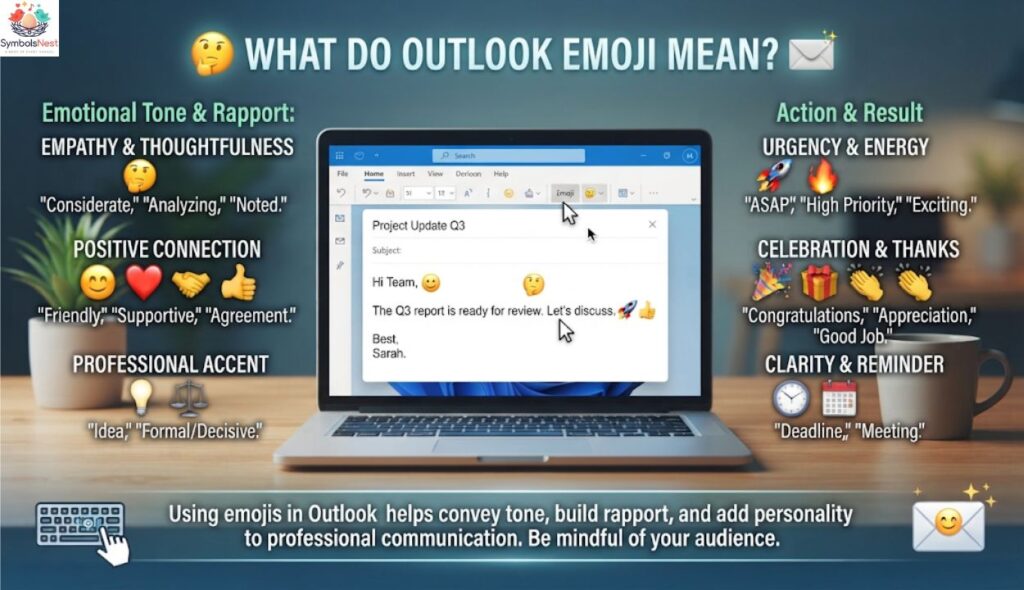
Outlook emoji meaning bilkul wahi hai jo Unicode standard mein define hai. Yani 😊 ka matlab Outlook, WhatsApp aur Instagram par basically same rehta hai.
Farq sirf emoji appearance aur design mein aata hai. 🎨 Microsoft, Apple aur Google apni apni emoji artwork banate hain.
Email mein emoji tone ka kaam karta hai. Text mein jo cheez cold lag sakti hai, ek chhota sa emoji usay friendly communication bana deta hai. 🤝
Neeche kuch sab se popular emojis aur unke meanings hain:
- 😊 Smiling face: friendliness, warm communication aur positivity.
- 👍 Thumbs up: agreement, approval aur confirmation.
- 🎉 Party popper: celebration, achievements aur milestones.
- ❤️ Red heart: care, appreciation aur heartfelt support. Zyada detail ke liye red heart meaning dekhein.
- 🙏 Folded hands: gratitude, thanks aur sincere thanks.
- ✨ Sparkles: special moments aur excitement.
- 📧 Email emoji: inbox, email update aur important messages.
- 📅 Calendar emoji: scheduling meetings, important dates aur meeting reminder.
- 👏 Clapping hands: praise, congratulations aur teamwork.
- 💼 Briefcase: business, work aur professionalism.
⚡ Quick Answer: Outlook emoji ka meaning Unicode se tay hota hai, is liye har platform par basic meaning same rehta hai. Sirf design alag hota hai. 🎯
Aur emoji meanings ka bada reference chahiye to hamari symbols meaning guide zaroor parhein. 📚
📋 Outlook Emojis Copy and Paste
Agar aap emoji type karne mein waqt nahi lagana chahte, to copy and paste sab se aasan tareeqa hai. ⚡ Bas emoji select karein, copy karein aur apni email mein paste kar dein.
Yeh method Windows, Mac, iPhone aur Android sab par chalta hai. Outlook users ke liye yeh sab se fast option hai. 🚀
Yahan kuch ready-to-use professional emojis hain:
- 📧 Email update ke liye
- 📅 Meeting reminder ke liye
- ✅ Task confirmation ke liye
- 👍 Quick reply ke liye
- 🙏 Thanks ke liye
- 🎉 Positive announcements ke liye
Zyada options ke liye heart symbols copy paste aur star symbols copy and paste pages bhi kaam aayenge. ⭐
⌨️ Outlook Emojis Shortcut
Shortcuts se aap bina mouse use kiye emoji insert kar sakte hain. ⏱️ Yeh un logon ke liye best hai jo daily bohot saari work emails likhte hain.
Windows par Windows key + . (period) ya Windows key + ; dabayen. Mac par Control + Command + Space use karein. 🍎
Emoji panel khulne ke baad aap search bar mein “smile” ya “email” type karke jaldi emoji dhoondh sakte hain. 🔍 Phir Enter dabayen aur emoji insert ho jayega.
⚡ Quick Answer: Windows par Win + . aur Mac par Ctrl + Cmd + Space Outlook emoji shortcut hain. ⌨️
💬 Outlook Emoji Text
Outlook mein kuch text shortcuts bhi emoji mein convert ho jate hain. Misaal ke taur par 🙂 type karne par aksar smiley ban jati hai. 😊
Yeh feature aapke Outlook version aur autocorrect settings par depend karta hai. ⚙️ Agar conversion na ho to File > Options > Mail > Editor Options mein autocorrect check karein.
Text-based emoticons casual emails mein achhe lagte hain. Lekin formal emails mein inhein kam hi use karein. 🎩
🪟 Outlook Emoji Shortcuts Windows 10
Windows 10 mein emoji keyboard Windows key + . se khulta hai. Yeh Outlook, Teams aur browser sab mein kaam karta hai. 🌐
Panel mein emojis categories mein baante hote hain, jaise smileys, people, objects aur symbols. 🗂️ Recent tab aapke baar baar use hone wale emojis yaad rakhta hai.
Agar shortcut kaam na kare to Windows ko update karein. 🔄 Kabhi kabhi purane builds mein emoji panel limited hota hai.
🖥️ How to Insert Emoji in Outlook 365
Outlook 365 mein emoji insert karna kaafi simple hai. Naya email ya reply kholein aur cursor wahan rakhein jahan emoji chahiye. ✍️
Toolbar mein Emoji button (ya Insert tab ke andar Emoji option) par click karein. Phir apna pasandida emoji chunein. 😀
Outlook on the web aur new Outlook mein bhi yahi button mojood hota hai. Classic desktop version mein aap Windows shortcut use kar sakte hain. 💡
⚡ Quick Answer: Outlook 365 mein compose window ke toolbar se Emoji button dabayen ya Win + . use karein. ✅
⚠️ Outlook Emoji Reactions Not Showing
Emoji reactions aap ko received emails par quick reply dene dete hain, bina poora email likhe. 👍 Lekin kabhi kabhi yeh option nazar nahi aata.
Common wajoohat yeh hain:
- 🔄 Outlook ka version purana hai, isay update karein.
- 🏢 Aapke organization ke admin ne feature off rakha hai.
- 📨 Sender kisi aur email service ya purane Outlook se hai.
- 🌐 Aap classic Outlook use kar rahe hain, new Outlook ya web try karein.
Pehle Outlook update karein, phir sign out aur sign in karein. 🔐 Agar phir bhi masla rahe to apne IT admin se rabta karein.
✅ How to Use Outlook Emoji the Right Way
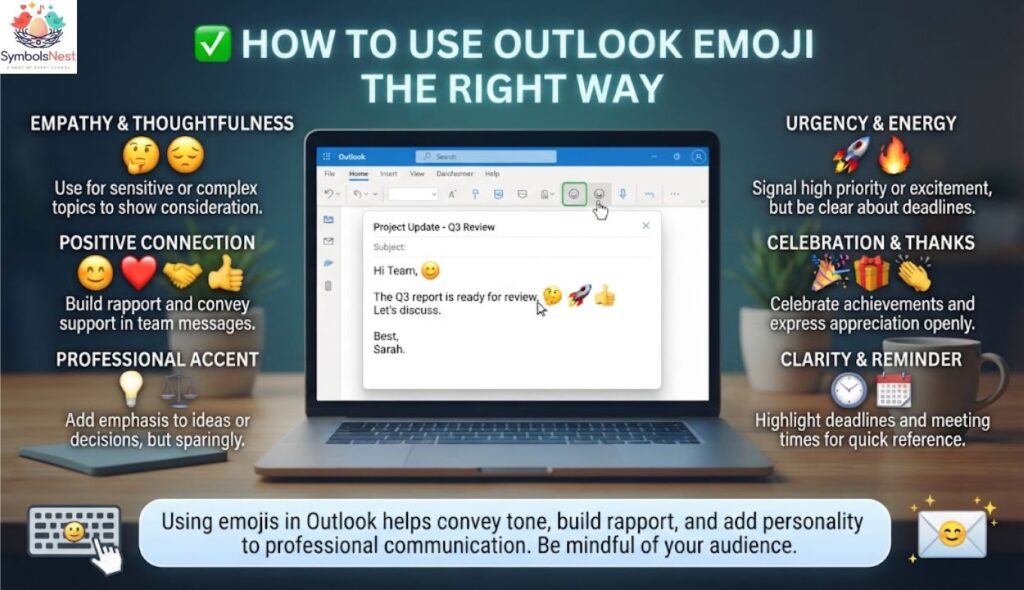
Emoji email ko behtar bana sakta hai, lekin sirf sahi jagah par. 🎯 Galat emoji professional relationships ko nuqsan bhi pohncha sakta hai.
Is liye email etiquette ka khayal rakhna zaroori hai. 📏 Neeche simple dos aur don’ts diye gaye hain.
⚡ Quick Answer: Professional emails mein sirf 1-2 emojis use karein aur message ke mutabiq chunein. ✨
👍 Dos
- ✅ Sirf 1-2 emojis use karein. Professional email communication mein balanced communication sab se behtar hai.
- 🎯 Emoji ko message se match karein. Thanks ke liye 🙏 aur celebration ke liye 🎉 sahi rehta hai.
- 👥 Audience samjhein. Colleagues aur coworkers ke saath casual tone chal sakta hai, lekin clients ke saath ehtiyat karein.
- 😊 Friendly tone ke liye use karein. Ek smiling face email ko warm aur welcoming bana deta hai.
- 🎉 Positive announcements mein use karein. Promotion, work anniversary ya milestones ke liye emojis bohot achhe lagte hain.
- 📅 Important dates highlight karein. Meeting reminder mein 📅 clarity barhata hai.
- 🧹 Simple emojis chunein. Standard Unicode emojis har device par sahi dikhte hain.
Kisi ko pehli baar email kar rahe hon to pehle recipient ka style dekhein. 👀 Agar woh emojis use karte hain to aap bhi kar sakte hain.
🚫 Don’ts
- ❌ Zyada emojis na lagayein. Ek email mein 6-7 emojis unprofessional lagte hain.
- 💔 Romantic emojis formal emails mein avoid karein. ❤️😍 business conversations mein munasib nahi hote.
- 😂 Serious topics par jokes na karein. Complaint, delay ya bad news ke saath 😂 galat message deta hai.
- 🧩 Rare emojis na use karein. Kuch emojis purane systems par box ya question mark ban jate hain.
- 📝 Emoji se poora message replace na karein. Sirf 👍 likhna kabhi kabhi rude ya unclear lag sakta hai.
- 🌍 Cultural differences ko nazar andaz na karein. Ek emoji ka matlab har mulk mein same nahi hota.
Agar aap sharminda hain ya maafi mangna chahte hain to sorry 100 times copy and paste jaisi cheezein casual chats ke liye hain, formal emails ke liye nahi. 🙇
💕 Best Outlook Emoji Combos: Copy & Paste
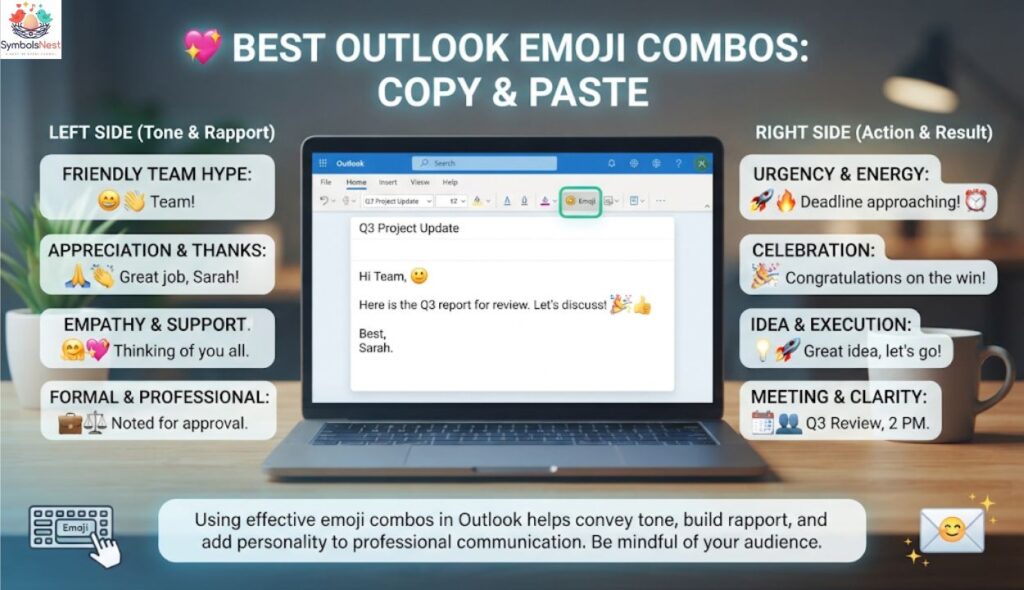
Emoji combos do ya zyada emojis ka mixture hote hain jo ek mood ya emotion batate hain. 🎭 Yeh personal emails, messages aur chats ke liye bohot mashhoor hain.
Yaad rakhein ke yeh combos zyada tar personal communication ke liye hain. 🙂 Business emails mein sirf professional combos use karein.
Mazeed ideas ke liye emoji combos, emoji combo aur symbol combos pages dekhein. 🔗
⚡ Quick Answer: Emoji combos copy karke seedha Outlook mein paste kar sakte hain. Business mein 😊✨ jaisi light combos behtar hain. 📋
💘 Romantic
Romantic emoji combos pyaar aur care dikhane ke liye hote hain. ❤️ Inhein sirf personal emails mein use karein.
- ❤️✨ Pyaar aur special moments
- 😊❤️ Warm aur sweet feelings
- ❤️🙏 Dil se shukriya
- 😊✨❤️ Complete romantic vibe
- 💕🌹 Soft aur romantic mood
- 💖😍 Deep affection
Mazeed romantic text ke liye I love you 100 times copy and paste ya I love you 1000 times try karein. 💌
🥰 Cute
Cute combos light aur pyare hote hain. 🧸 Yeh dosto aur family ke saath emails mein achhe lagte hain.
- 😊✨ Friendly aur bright
- 🐻💛 Sweet aur soft
- 🌸😊 Fresh aur gentle
- 🍓💕 Playful aur cute
- ⭐😊 Cheerful smile
- 🦋✨ Light aur dreamy
Cute fonts ke saath combine karne ke liye cute fonts aur coquette emojis zaroor dekhein. 🎀
😉 Flirty
Flirty combos playful aur confident hote hain. 😏 Inhein sirf un logon ke saath use karein jinhein aap achhe se jaante hon.
- 😉✨ Light flirt
- 😏🔥 Bold aur confident
- 😊😘 Sweet aur teasing
- 💋😉 Playful kiss
- 😍😉 Admiration
- 🌹😏 Smooth aur charming
Zyada bold emojis ke liye freaky emojis bhi dekh sakte hain. 🙈 Lekin professional email se door rahein.
🥺 Missing Someone
Jab kisi ki yaad aaye to emojis jazbaat bayan karne mein madad karte hain. 💭 Yeh combos soft aur emotional hote hain.
- 🥺❤️ Bohot yaad aa rahi hai
- 😢💕 Udaasi aur pyaar
- 🌙💭 Raat ki yaad
- 🤍🥹 Dil se miss karna
- ✈️❤️ Door hone ka ehsaas
- 🫶😊 Jaldi milne ki umeed
Lambay messages ke liye I miss you 1000 times copy and paste madadgar hai. 💔
🌙 Good Night
Good night combos din ko pyaari tarah khatam karte hain. 😴 Yeh family aur close dosto ke liye perfect hain.
- 🌙✨ Sukoon bhari raat
- 😴💤 Meethi neend
- 🌟😊 Sitaron bhari raat
- 🌙❤️ Pyaar bhari good night
- 🛌☁️ Aaram aur sukoon
- 🌠🙏 Dua ke saath good night
Chaand aur sitaron ke symbols ke liye moon symbols copy paste dekhein. 🌛
📈 Trending Outlook Emoji in 2026
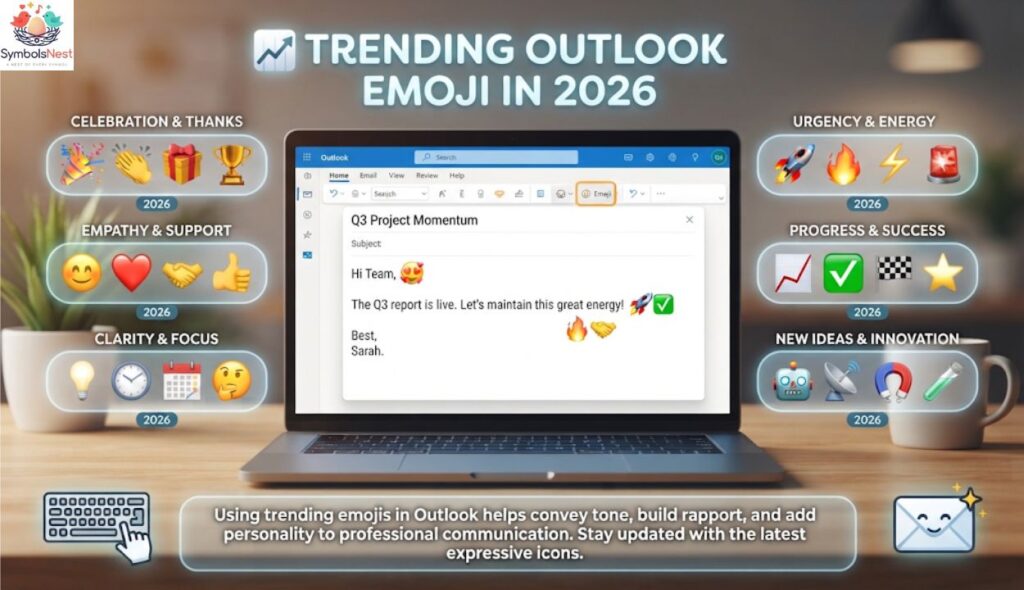
2026 mein emoji digital communication ka hissa ban chuke hain. 🌍 Business professionals, students, content creators aur remote workers sab inhein use kar rahe hain.
Logon ko familiar emojis zyada pasand hain. 😊 Woh clear hote hain aur har recipient unhein asaani se samajh leta hai.
Is saal ke popular Outlook emojis yeh hain:
- 👍 Quick confirmations: chhote jawab ke liye perfect.
- ✅ Task complete: kaam khatam hone ka signal.
- 🎉 Positive announcements: team wins aur achievements.
- 🙏 Gratitude: sincere thanks dene ke liye.
- 📅 Scheduling meetings: important dates yaad dilane ke liye.
- ✨ Small highlights: key points ko nazar mein lana.
- 👏 Praise: shabashi aur congratulations.
Remote work ki wajah se emojis tone ko nermi dete hain. 🏠 Screen ke peeche emotions samajhna mushkil hota hai, aur emoji us gap ko bharta hai.
Students aur creators emoji ko captions aur bios mein bhi use karte hain. 📱 Emoji captions for Instagram aur Snapchat emoji meanings is trend ki achhi misaal hain. 📸
Naya trend custom emojis ka bhi hai. 🧪 Emoji Kitchen se aap do emojis ko mila kar naya sticker bana sakte hain.
⚡ Quick Answer: 2026 mein 👍, ✅, 🎉, 🙏 aur 📅 Outlook mein sab se trending emojis hain. 🔥
Korean style hearts ke bare mein jaanna chahein to Korean heart emoji dekhein. 💖
Yeh FAQ section bina emoji ke hai. Har question H3 mein hai aur har answer sirf 2 lines ka hai.
Frequently Ask Questions
How Do I Insert Emojis in Outlook?
Compose window ke toolbar mein Emoji button dabayen ya Windows key + . use karein. Mac par Control + Command + Space se bhi emoji panel khul jata hai.
How Do You Type a Smiley Emoji in Outlook Shortcut Key?
Windows par Win + . dabayen aur search bar mein “smile” likh kar emoji chunein. Aap 🙂 type karke autocorrect se bhi smiley bana sakte hain.
How to Do a Laughing Emoji in an Email?
Cursor rakhein, Win + . dabayen aur “laugh” ya “joy” search karke emoji insert karein. Formal emails mein isay ehtiyat se use karein.
How Do I Insert a Thumbs Up Emoji?
Emoji panel mein “thumbs up” search karein ya Outlook ke Emoji button se chunein. Mobile par emoji keyboard khol kar thumbs up select kar lein.
How Do You Do a Thumbs Up on Outlook?
Aap emoji email body mein type kar sakte hain ya jahan available ho wahan reaction feature use karein. Reaction se poora reply likhe baghair quick feedback mil jata hai.
What Does the Five Thumbs Up Emoji Mean?
Paanch thumbs up ka matlab strong approval aur bohot zyada support hota hai. Professional emails mein ek thumbs up hi kaafi hota hai.
1. What Is the Most Popular Outlook Emoji?
Sab se popular Outlook emojis aksar thumbs up aur smiling face hote hain. Yeh friendly, clear aur work emails ke liye safe maane jate hain.
2. What Does a Smiling Face Mean from a Girl or Boy?
Is emoji ka basic matlab khushi, shukriya aur friendliness hai, aur yeh gender par depend nahi karta. Pyaar bhare emojis ke liye yellow heart emoji meaning aur blue heart emoji meaning parhein.
3. Why Do Emojis Look Different on iPhone vs Android?
Apple, Google aur Microsoft apna apna emoji design aur artwork banate hain. Unicode meaning same rehta hai, sirf emoji appearance badalti hai.
4. Are Outlook Emoji Used Differently in Other Countries?
Haan, cultural differences emoji usage par asar daalte hain, jaise folded hands kahin shukriya aur kahin dua hain. International clients ko email karte waqt simple emojis chunein.
🏁 Conclusion
Outlook emoji email communication ko zyada friendly, warm aur clear bana dete hain. 😊 Sahi emoji ka sahi jagah par istemal aapki professionalism ko nuqsan nahi, faida deta hai.Yaad rakhein ke ek ya do emojis kaafi hote hain, aur emoji ko hamesha message ke mutabiq chunein. 🎯 Romantic ya flirty combos sirf personal conversations ke liye rakhein.
Shortcuts, emoji panel aur copy-paste ke zariye aap apni emails ko behtar bana sakte hain. ⌨️ Aur agar aap aur symbols aur ideas talash kar rahe hain to heart symbols aur aesthetic symbols pages zaroor explore karein. ✨
Ab bas ek achha emoji chunein, email likhein aur apni baat mein jaan daal dein. 📧🚀

hi iam Emma SymbolsNest.com is a simple website where you can find thousands of symbols and special characters. It helps you copy and paste Unicode symbols for social media, messages, documents, and creative projects.
