

The paragraph symbol, written as ¶, is one of the oldest editing marks still used today. It shows up in legal documents, Microsoft Word menus, academic papers and old manuscripts, yet most people only recognize it without knowing its real name or purpose.
This guide explains what the paragraph symbol means, where it came from, and how to type, copy or insert it on any device. You will also find its Unicode value, HTML code, Alt code and answers to the most searched questions about this symbol. For a broader look at other characters, our symbols meaning guide covers many more everyday marks.
Quick Answer:
The paragraph symbol ¶, also called a pilcrow, marks the start or end of a paragraph in printed and digital text. Editors use it to show formatting marks, lawyers use it to cite specific paragraphs in legal documents, and Microsoft Word uses it to display nonprinting characters.
This character looks small, yet it carries a long history stretching from handwritten Greek scrolls to modern search engines. Understanding its meaning helps writers, students, lawyers and designers use it correctly across every platform they work with, whether they are editing a report, filing a legal brief, or formatting a website.
What Is the Paragraph Symbol (¶)?
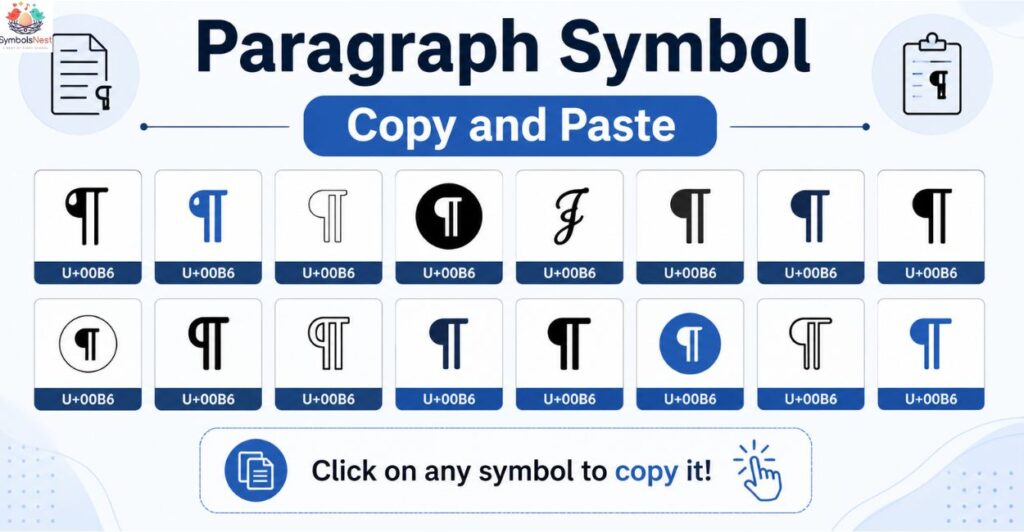
Definition
The paragraph symbol ¶ is a typographic character used to indicate a new paragraph or to reference a specific paragraph within a document. It is officially called a pilcrow, though many people simply call it the paragraph mark or paragraph sign.
Paragraph Mark vs Paragraph Sign
Both terms describe the same character. Paragraph mark is the term most commonly used inside Microsoft Word, while paragraph sign appears more often in printing and typesetting contexts. There is no functional difference between the two names.
Although it looks like a small decorative mark, the pilcrow plays a functional role in written communication. It tells a reader, or a piece of software, exactly where one thought ends and a new one begins, which is why it survived from handwritten manuscripts all the way into modern digital publishing tools. Symbols carry meaning well beyond text formatting too, much like how the heart symbols used across messaging apps each hold a distinct emotional meaning.
Quick Facts
| Fact | Detail |
| Common name | Pilcrow |
| Symbol | ¶ |
| Unicode | U+00B6 |
| HTML entity | ¶ |
| Category | Punctuation and formatting mark |
| Used in | Word processing, legal writing, academic citation, typesetting |
Paragraph Symbol Meaning Explained
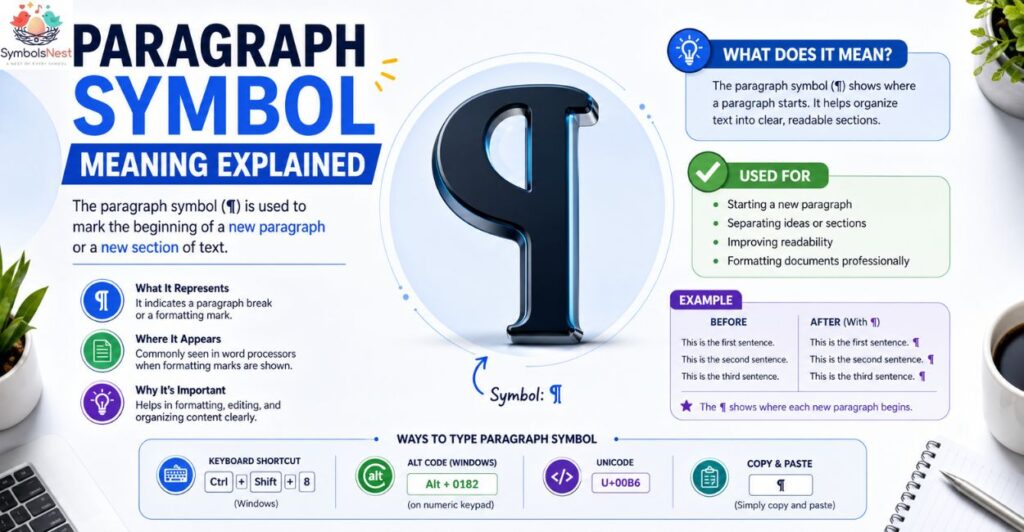
What Does ¶ Mean?
In everyday writing software, ¶ marks where one paragraph ends and another begins. In legal and academic writing, the same symbol points a reader to an exact paragraph number inside a larger document, similar to how a page number points to a page.
Why Writers Use It
Writers and editors use the pilcrow to visually separate blocks of text during the drafting stage. It helps track spacing, indentation and paragraph breaks before a document is finalized for print or publishing.
Why Editors Use It
Editors rely on the paragraph symbol as one of several nonprinting characters, alongside space dots and tab arrows, to check formatting consistency. Turning these marks on reveals hidden spacing errors that are invisible in normal reading view.
What Is the Symbol for a Paragraph?
The accepted symbol for a paragraph is the pilcrow, ¶. It has represented paragraph breaks since medieval times and remains the standard formatting mark inside modern word processors such as Microsoft Word and Google Docs.
Why Is the Paragraph Symbol Called a Pilcrow?
The word pilcrow comes from the Middle English term pylcrafte, itself derived from the Greek word paragraphos, meaning to write beside. Over centuries the pronunciation shifted and the term settled into the modern word pilcrow used by typographers today.
What Does the Backwards P Symbol Mean?
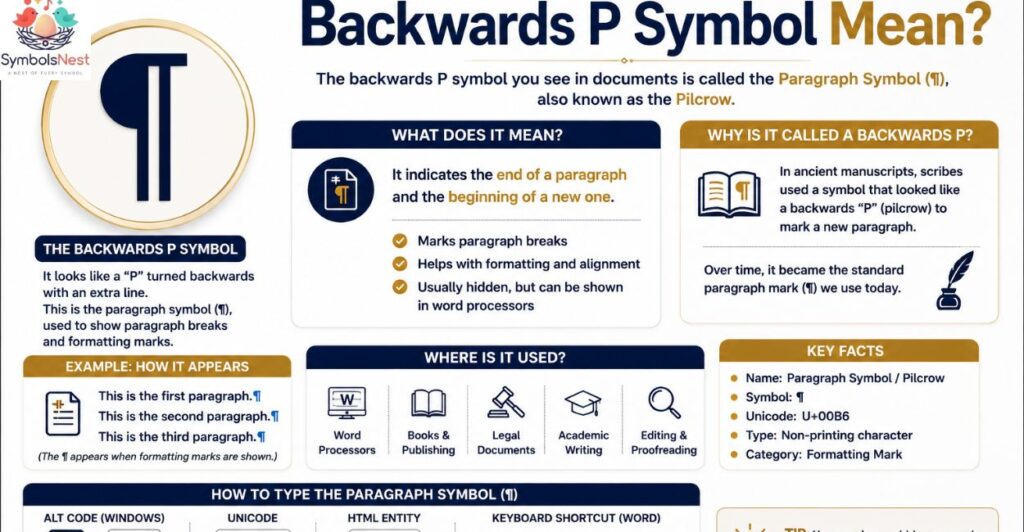
The backwards P shape people notice in ¶ is simply the traditional design of the pilcrow. Early scribes shaped the mark this way so it stood out clearly in dense handwritten text, and printers later kept the same design when movable type was introduced.
History of the Paragraph Symbol
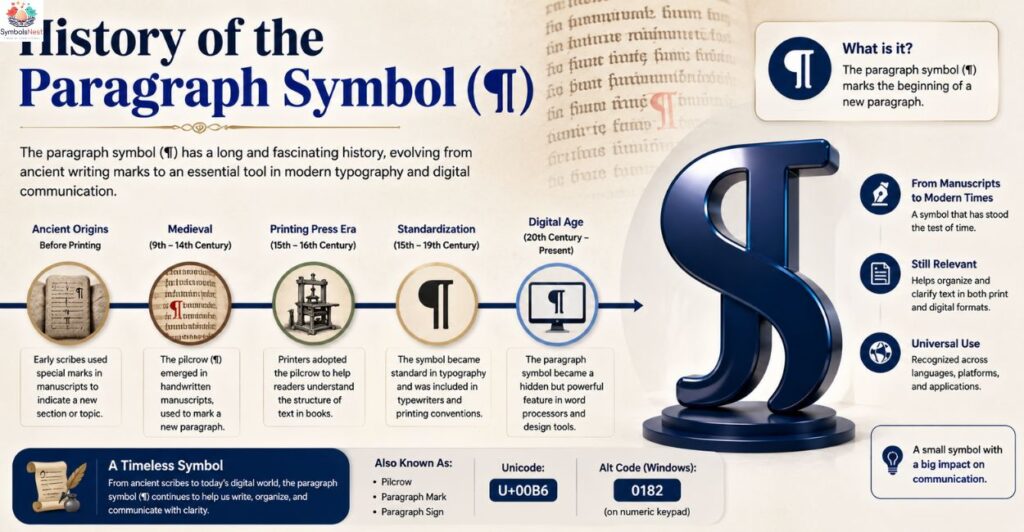
Origin
The pilcrow traces back to ancient Greek manuscripts, where scribes used a simple mark to signal a change in topic or speaker within continuous text that had no spacing or line breaks.
Medieval Manuscripts
During the medieval period, scribes and rubricators added the pilcrow by hand, often in red ink, to break long blocks of Latin text into readable sections. This made religious and legal manuscripts far easier to navigate.
Modern Typography
When printing presses replaced handwritten manuscripts, the pilcrow moved from decorative red ink to standard black type. Modern typography kept the symbol mainly for legal citation and as a formatting tool inside digital word processors.
As typesetting matured through the fifteenth and sixteenth centuries, printers experimented with spacing and indentation instead of relying purely on inline symbols to separate ideas. This gradually reduced the pilcrow’s role in everyday printed books, even though it never disappeared completely from specialized fields like law and academic publishing, where precise paragraph references remained essential.
Today the symbol has found a second life inside software. Word processors adopted the pilcrow as a toggleable formatting mark long before most readers ever saw it in a printed book, which is why many people now recognize it first from a computer screen rather than from history class.
Paragraph Symbol Copy and Paste
Copy Button
The fastest way to use the paragraph symbol is to copy it directly: ¶
Unicode Character
The Unicode character for the pilcrow is U+00B6, and it can be pasted into any application that supports standard Unicode text, including browsers, email and design software.
Plain Text Version
In plain text files where special characters may not render correctly, writers sometimes substitute the letters PARA or simply describe it as paragraph mark to avoid display errors. Other popular copy and paste characters, like the purple heart, face similar display issues on older devices and fonts.
Paragraph Symbol Alt Code (Windows)
Windows Alt Code
On Windows computers, hold the Alt key and type 0182 on the numeric keypad, then release Alt to produce the pilcrow symbol.
Numeric Keypad Method
This method only works with a full numeric keypad, since the number row above the letters will not trigger the Alt code shortcut.
Laptop Solution
Laptops without a numeric keypad usually have a hidden Num Lock function key. Enable it, then use the corresponding number keys combined with the Function key to replicate the Alt code method.
Paragraph Symbol Unicode (U+00B6)
Unicode Value
The pilcrow is officially registered in the Unicode Standard as U+00B6, placed within the Latin1 Supplement block alongside other common typographic symbols.
UTF8
In UTF8 encoding, the pilcrow is represented using two bytes, making it fully compatible with modern websites, apps and databases without special configuration.
Character Encoding
Because the pilcrow exists in nearly every character encoding standard, it displays consistently across devices, operating systems and browsers without compatibility issues. This same consistency applies to emoji style characters, such as the red heart, which render identically across nearly all modern platforms.
Paragraph Symbol HTML Entity and HTML Code
HTML Entity
Web developers can insert the pilcrow using the named HTML entity ¶, which renders as ¶ on any standard web page.
HTML Decimal
The decimal HTML code for the pilcrow is ¶, offering the same visual result as the named entity.
HTML Hex
For developers who prefer hexadecimal notation, the code ¶ also produces the pilcrow symbol inside HTML documents. Developers building emoji pickers often reference guides like our white heart meaning page when mapping out full character libraries.
Paragraph Symbol Keyboard Shortcut
Windows
Windows users can rely on the Alt code method described above, or insert the symbol through the Character Map utility included in every version of Windows.
Mac
Mac users can type the pilcrow directly using Option plus 7, a shortcut built into the standard Mac keyboard layout.
Linux
Linux systems typically support Unicode input through Ctrl, Shift and U, followed by typing 00b6 and pressing Enter or Space to confirm the character.
How to Type the Paragraph Symbol on Windows
Open the target document, place the cursor where the symbol is needed, hold Alt, type 0182 on the numeric keypad, then release Alt. The pilcrow will appear instantly at the cursor position.
How to Type the Paragraph Symbol on Mac
Place the cursor in the document and press Option plus 7 together. The pilcrow appears immediately without needing any menu or special app.
How to Type the Paragraph Symbol on Chromebook
Chromebook users can open the built in emoji and symbol picker, search for pilcrow or paragraph mark, and select the symbol to insert it directly into any text field.
How to Type the Paragraph Symbol on Android
On Android devices, switch to the symbols keyboard, look under the extended punctuation section, and tap the pilcrow to insert it into a message or document.
How to Type the Paragraph Symbol on iPhone
iPhone users can access the symbol through a custom text replacement shortcut, or copy the pilcrow from a browser and paste it into Notes, Messages or any other app.
How to Insert the Paragraph Symbol in Microsoft Word
Insert Menu
Go to the Insert tab, select Symbol, then choose More Symbols to browse the full character library inside Word.
Symbol Menu
Inside the Symbol menu, filter by the Latin1 Supplement subset to locate the pilcrow quickly, then click Insert to place it in the document.
Keyboard Shortcut
Word also supports Alt plus 0182 directly, matching the standard Windows Alt code shortcut for fast repeated use.
Why Is the Paragraph Symbol Blue in Microsoft Word?
The pilcrow occasionally appears blue in Word when tracked changes or specific formatting styles are applied to that section of text. The color change is a visual cue from Word rather than a separate symbol.
How to Show or Hide Paragraph Marks in Word
Windows
Go to the Home tab and click the pilcrow icon in the Paragraph group to toggle formatting marks on or off.
Mac
On Mac, the same pilcrow icon sits in the Home tab ribbon and functions identically to the Windows version.
Shortcut
Windows users can also press Ctrl, Shift and 8 to show or hide all formatting marks instantly.
Home Tab
The Home tab remains the fastest access point across both Mac and Windows versions of Word for toggling these marks during editing.
Paragraph Symbol in Microsoft Word Formatting
Inside Word, the pilcrow is part of a larger set of formatting marks that also includes dots for spaces and arrows for tabs. Together these marks let writers audit spacing errors before finalizing a document for printing or sharing.
Understanding Nonprinting Characters in Word
Nonprinting characters, including the pilcrow, space dots and tab arrows, never appear on a printed page. They exist only inside the editing view to help writers control layout, spacing and paragraph structure with precision.
Paragraph Symbol in Legal Writing
Legal Citations
Lawyers use the pilcrow to point directly to a specific paragraph inside a statute, regulation or court filing, allowing precise citation without repeating lengthy text.
Court Documents
Court documents frequently number paragraphs, and the pilcrow lets attorneys reference an exact section quickly during arguments, briefs or written opinions.
Contracts
In contracts, the paragraph symbol helps both parties locate specific clauses fast, particularly in lengthy agreements with dozens of numbered sections.
Paragraph Symbol in Academic Writing
Research Papers
Some research papers use the pilcrow when citing sources without page numbers, pointing readers to the paragraph instead.
Thesis
Thesis writers sometimes use the pilcrow during formatting review to confirm consistent paragraph spacing across long chapters.
APA
APA style occasionally recommends the paragraph symbol when citing online sources that lack fixed page numbers, using it alongside the paragraph count.
MLA
MLA style rarely requires the pilcrow directly, but writers may still use it internally while editing paragraph structure before final submission.
Paragraph Symbol in Editing and Proofreading
Editing Marks
Professional editors mark manuscripts with the pilcrow to indicate where a new paragraph should begin during a manual read through.
Formatting Marks
Formatting marks like the pilcrow help maintain visual consistency across long documents, especially when multiple writers contribute to the same file.
Proofreading Symbols
Among standard proofreading symbols, the pilcrow remains one of the clearest and most recognizable marks for indicating paragraph breaks.
Paragraph Symbol in Typography and Design
Graphic designers occasionally use the pilcrow as a decorative element in branding, editorial layouts and magazine spreads. Its distinct curved shape gives designers a recognizable character that separates sections without needing a full heading or divider line, especially in minimalist print layouts.
Paragraph Symbol Meaning on Social Media and Text Messages
Outside formal writing, some social media users copy and paste the pilcrow into captions or bios purely for its visual style rather than its formatting meaning. In text messages it rarely carries functional weight and instead works more like a small decorative accent between lines of text.
Paragraph Symbol vs Section Symbol
| Feature | Paragraph Symbol (¶) | Section Symbol (§) |
| Common name | Pilcrow | Section sign |
| Main use | Marks or cites a paragraph | Marks or cites a section of law |
| Unicode | U+00B6 | U+00A7 |
| Common field | Word processing, general writing | Legal and regulatory documents |
| Word shortcut | Alt 0182 | Alt 0167 |
Paragraph Symbol vs Pilcrow
| Feature | Paragraph Symbol | Pilcrow |
| Meaning | General descriptive name | Formal typographic name |
| Usage | Everyday conversation | Typography, design, publishing |
| Symbol shown | ¶ | ¶ |
| Difference | None functionally | Same character, different label |
Paragraph Symbol vs Paragraph Mark
| Feature | Paragraph Symbol | Paragraph Mark |
| Term origin | General term | Microsoft Word terminology |
| Where used | Websites, articles, general text | Word interface and help documentation |
| Meaning | Same character ¶ | Same character ¶ |
Common Uses of the Paragraph Symbol
• Editing long manuscripts to confirm paragraph breaks
• Formatting legal documents and citing specific clauses
• Typesetting books and printed publications
• Reviewing academic papers for structural consistency
• Displaying nonprinting characters inside Word or Google Docs
• Checking spacing consistency across multi author documents
• Marking new sections during manual proofreading passes
Writers who work across multiple platforms, from Word to Google Docs to plain text editors, often rely on the pilcrow as a universal checkpoint. Because the symbol behaves the same way across nearly every application, it has become a dependable formatting habit for professional editors and casual writers alike. Just as the black heart carries different connotations depending on context, the pilcrow’s meaning shifts slightly between casual writing and formal legal citation.
Examples of the Paragraph Symbol in Writing
Legal Example
See Agreement, ¶ 4.2, regarding termination rights and notice requirements between both parties.
Book Example
Publishers sometimes use the pilcrow at the start of a new chapter section to visually separate short segments without adding a full heading.
Word Example
A writer editing a report in Word toggles on formatting marks and sees a pilcrow at the end of every paragraph, confirming correct spacing throughout the file.
Editing Example
An editor marks a printed manuscript with a handwritten pilcrow wherever the writer should insert a new paragraph break during revision.
Paragraph Symbol on Different Devices
| Device | Method |
| Windows | Alt plus 0182 on numeric keypad |
| Mac | Option plus 7 |
| Android | Symbols keyboard, extended punctuation |
| iPhone | Text replacement or copy paste |
| Chromebook | Built in emoji and symbol picker |
Why Cant I Type the Paragraph Symbol?
This usually happens on laptops without a numeric keypad, or when Num Lock is disabled. Enabling Num Lock or using the copy and paste method solves the issue instantly.
Why Doesnt the Paragraph Symbol Appear?
If the pilcrow does not display, the application may be using a font that lacks full Unicode support, or formatting marks may simply be toggled off in the current view.
Common Problems and Fixes
| Problem | Fix |
| Symbol wont type | Enable Num Lock or use copy paste |
| Symbol looks like a box | Switch to a Unicode supported font |
| Symbol missing in Word | Toggle formatting marks from the Home tab |
| Symbol wrong color | Check tracked changes or applied styles |
Frequently Asked Questions
What is the symbol for a paragraph?
The symbol for a paragraph is the pilcrow, written as ¶, used to mark or cite paragraph breaks in writing.
What do paragraph symbols mean?
They indicate where a paragraph begins or ends, and in legal writing they point to a specific numbered paragraph.
What is the backwards P symbol?
It is the traditional pilcrow design, shaped this way since medieval manuscripts to stand out in dense text.
What is the legal paragraph symbol?
In legal writing, the pilcrow ¶ is used to cite an exact paragraph within a contract, statute or court filing.
What is the Unicode for the paragraph symbol?
The Unicode value for the pilcrow is U+00B6, found in the Latin1 Supplement block.
What is the Alt code for the paragraph symbol?
On Windows, the Alt code is 0182, typed on the numeric keypad while holding the Alt key.
How do I type the paragraph symbol?
Use Alt plus 0182 on Windows, Option plus 7 on Mac, or simply copy and paste the symbol directly.
Conclusion
Key Takeaways
The paragraph symbol ¶, formally called a pilcrow, has served writers, editors and lawyers for centuries as a simple way to mark and cite paragraph breaks. It remains fully supported across every modern operating system, browser and word processor.
When to Use the Paragraph Symbol
Use it while editing to check paragraph spacing, while citing legal or academic sources at the paragraph level, or whenever a document needs a clean visual break between sections.
Best Practices
Keep formatting marks visible while drafting, remove reliance on them once a document is finalized, and always confirm the correct Unicode or Alt code when typing the symbol across different devices.
Related Symbols
Readers researching the pilcrow often also look up the section symbol, degree symbol, bullet point symbol, check mark symbol, asterisk symbol, copyright symbol, trademark symbol and registered symbol, all of which follow similar copy paste and Alt code conventions. If you enjoy exploring symbol meanings, you may also like our guides on the broken heart symbol and the full SymbolsNest homepage for more character guides.

hi iam Emma SymbolsNest.com is a simple website where you can find thousands of symbols and special characters. It helps you copy and paste Unicode symbols for social media, messages, documents, and creative projects.
