
A serif fonts generator turns your plain text into stylish Unicode serif text in seconds. Type a word, browse through bold serif, italic serif, script serif, and small caps styles, then copy and paste the result anywhere online.
This serif text generator works without downloads, without sign ups, and without any design software. Whether you want a serif font style for an Instagram bio, a Discord username, or a TikTok caption, this tool converts ordinary letters into eye catching Unicode characters instantly. If serif is not quite the vibe, our font changer lets you flip between dozens of other styles in the same input box.
Unicode Serif Styles — Copy & Paste
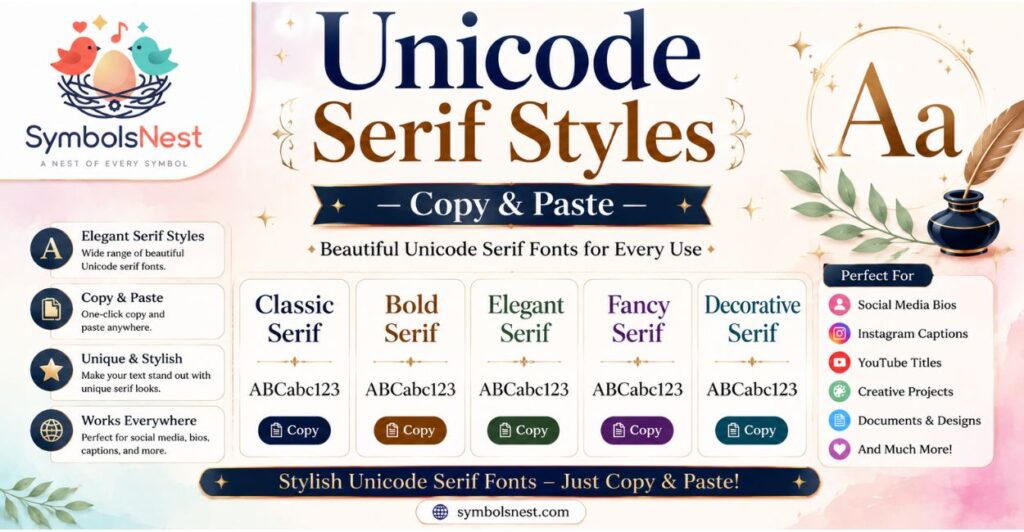
Below you will find every serif fonts generator copy and paste style available in this tool. Type your text once at the top and every style updates automatically, so you can compare a free serif fonts generator output across bold, italic, and decorative variations before picking a favorite.
This makes it easy to test a serif fonts generator for Instagram bios, a sans serif font generator for a cleaner look, or a serif font generator copy and paste combo for gaming usernames, all from the same input box.
What is a Serif Font Generator?
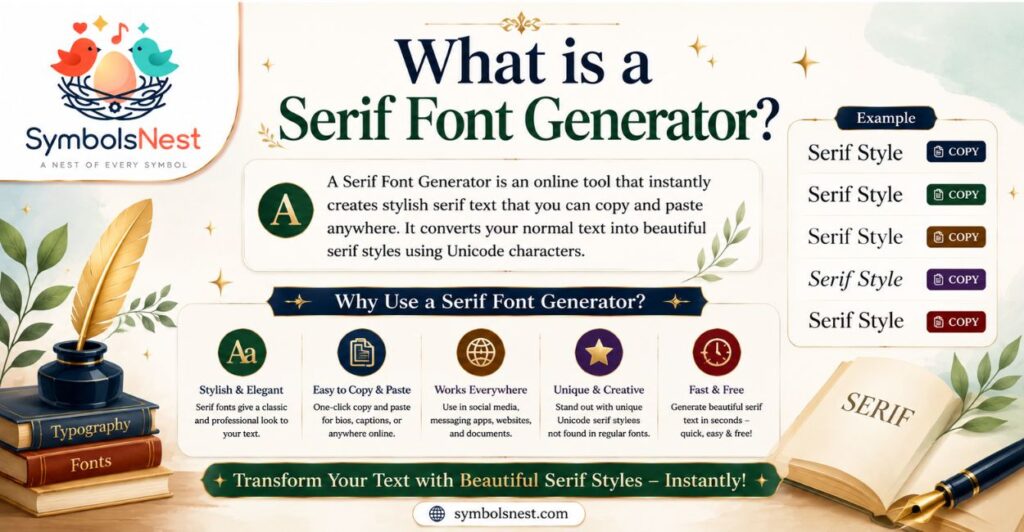
A serif font generator is a browser based tool that swaps your regular letters with matching Unicode characters styled to look like serif lettering.
Unlike a traditional font file, this Unicode serif text is not installed on your device. Every character comes from the Unicode standard, the same system that powers emojis, so it displays correctly across nearly every app and website that accepts text.
This means a serif text generator does not require any font license, software, or update. Once a style is copied, it works as plain Unicode text wherever you paste it, from Instagram bios to browser tabs to gaming usernames.
Because it relies on Unicode characters rather than image files, the output stays lightweight, searchable as text, and instantly shareable. Want something punchier for a scoreboard or a price drop post? Our number font generator applies the same copy and paste approach to digits.
How to Use a Serif Font Generator?
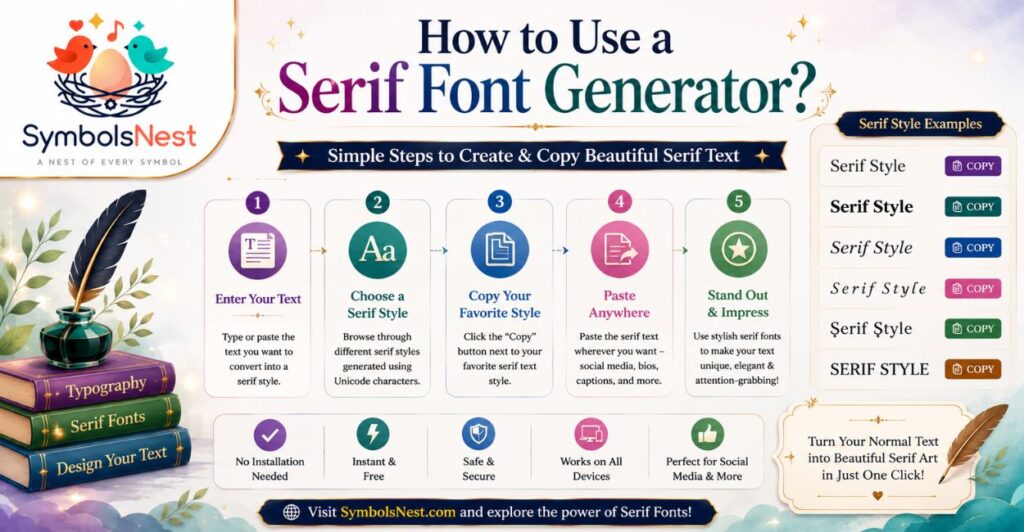
Creating copy and paste serif text takes five quick steps, and no design experience is needed.
Enter Your Text Type or paste the word, name, or short phrase you want styled into the input field at the top of the tool. The generator updates every style option as soon as you start typing.
Browse the Styles Scroll through the full list of Unicode serif styles, including bold serif, italic serif, script serif, and small caps, until you find a serif font style that matches your project or mood.
Choose a Style Tap the style you like best to select it. The preview updates instantly so you can compare a classic serif font generator look against a more decorative option like Fraktur or double struck text.
Copy the Result Click the copy button next to your chosen style. The styled Unicode serif text is copied to your clipboard immediately, ready to use anywhere.
Paste Anywhere Paste the copied text into your Instagram bio, TikTok caption, Discord username, or any other app. Since the output is Unicode text rather than an image, it pastes cleanly into almost any text field. If you are building out a full profile look, pair it with our aesthetic bio maker for Instagram to style the rest of your bio to match.
Unicode Serif Text vs Traditional Serif Fonts
Unicode serif text and traditional serif fonts solve similar design goals in very different ways. Understanding the difference helps you choose the right tool for the job.
| Feature | Unicode Serif Text | Traditional Serif Fonts |
| Installation | None required | Must be downloaded and installed |
| Where it works | Any app that accepts text, including bios and chats | Only in software that supports the installed font |
| File type | Plain Unicode characters | Font file such as TTF or OTF |
| Editing after paste | Cannot be resized or recolored as text | Fully customizable in design software |
| Best for | Bios, captions, usernames, quick styling | Logos, print design, long form branded content |
Unicode Serif Text
Unicode serif text is made of special characters that visually resemble serif letters. It travels as plain text, so it can be typed into a social media bio or a chat message and still display the same styling on the other end, as long as the platform supports Unicode.
Traditional Serif Fonts
Traditional serif fonts are actual font files used inside design software, word processors, or websites with custom font support. They offer full control over size, color, weight, and spacing, but they only render correctly on devices or platforms where the font itself is installed or embedded.
What Are Serif Fonts? (History & Origins)
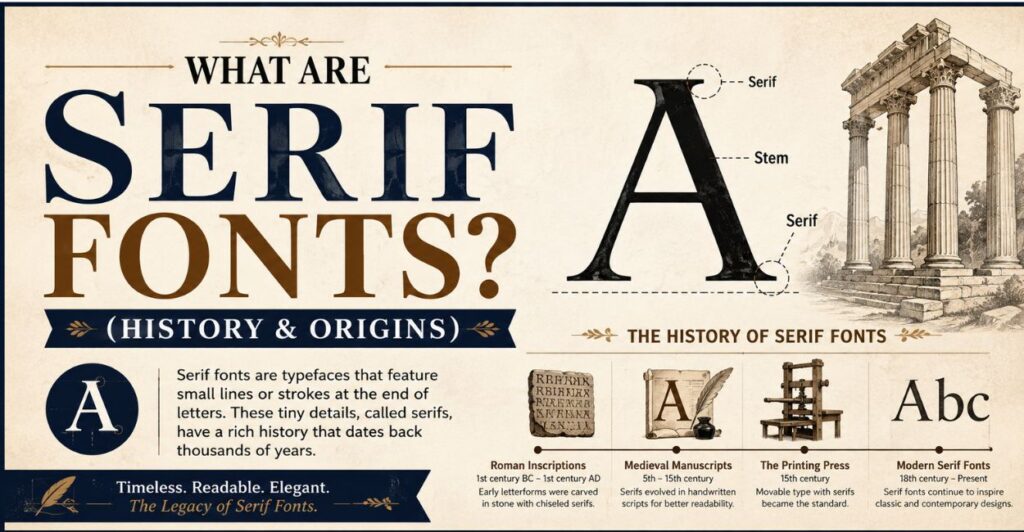
Serif fonts get their name from the small lines, or serifs, attached to the ends of each letterstroke.
Serif typography traces back to Roman stone carvings, where these small strokes helped guide the chisel and gave inscriptions a more finished look.
When printing presses emerged centuries later, type designers carried that same detail into metal type, and serif typefaces became the standard for books, newspapers, and formal documents.
Because of this long history, serif fonts are often associated with tradition, authority, and readability in long blocks of printed text.
Classic serif fonts like Garamond and Baskerville still influence modern serif fonts used in publishing and branding today, while newer typefaces continue to reinterpret the serif for digital screens.
If you are curious about the meaning behind the symbols that often accompany styled bios, our symbols meaning guide covers that history too.
8 Serif Font Styles for Inspiration & Design Projects
Serif typefaces are grouped into several historical categories, each with a distinct look and use case.
1. Transitional Transitional serifs sit between old style and modern designs, offering higher contrast between thick and thin strokes while keeping some of the warmth of earlier serif typefaces. Baskerville is a well known example.
2. Slab Slab serifs feature thick, block like serifs with minimal contrast between strokes. They feel sturdy and bold, which makes them popular for headlines and branding.
3. Old Style Old style serifs have low contrast strokes and slanted serifs that echo early handwritten and carved letterforms. Garamond is a classic example of this category.
4. Modern Serif Fonts Modern serif fonts, sometimes called Didone, use dramatic contrast between thick and thin strokes with very fine, straight serifs. They feel formal and high fashion.
5. Humanist Humanist serifs are inspired by calligraphy and handwriting, giving them a warmer, more organic feel than geometric styles.
6. Scotch Scotch serifs originated in early nineteenth century Scottish type foundries and combine the sharpness of modern serifs with slightly softer, more practical proportions for printed text.
7. Didone Didone serifs are known for extreme stroke contrast and thin, hairline serifs, often used in fashion and luxury branding.
8. Fatface Fatface serifs are an exaggerated form of Didone with extremely thick strokes, designed to be bold and attention grabbing at large sizes.
Unicode Serif Styles Available in This Tool
This serif fonts generator includes a wide range of Unicode character sets so you can match the exact serif font style your project needs.
Bold Serif — A heavier weight version of standard serif text, ideal for emphasis in bios and headlines. Italic Serif — A slanted serif style that adds a formal, elegant tone to short phrases.
Bold Italic Serif — Combines bold weight and italic slant for maximum emphasis in a single style. Script Serif — A flowing, handwriting inspired serif lettering style, well suited to quotes and personal branding. Bold Script Serif — A bolder version of script serif text, offering more visual weight while keeping the cursive feel.
Double Struck — A hollow, outlined character style often used for mathematical notation and stylish usernames. Fraktur — An ornate, gothic inspired blackletter style rooted in historic European typography.
Bold Fraktur — A heavier version of Fraktur, adding extra visual weight to the gothic serif look.
Small Caps — Uppercase letters rendered at a smaller size, giving text a refined, formal appearance.
Wide Serif — Serif characters with extra spacing between letters for a bold, spaced out look. Bold Serif Underline — Bold serif text combined with an underline effect for added emphasis.
Italic Serif Strikethrough — Italic serif characters paired with a strikethrough line, useful for stylized or ironic text. Circled — Each letter enclosed in a circle, creating a badge like decorative effect.
Negative Circled — A reversed circled style with filled backgrounds and light colored letters for a bold badge look. Squared — Letters enclosed in square brackets for a clean, blocky decorative style.
Curious what some of these characters actually represent outside of styling? Our symbols meaning guide breaks down the origin and use of common Unicode symbols beyond just fonts.
Serif vs Sans-Serif — When to Use Which?
Choosing between a serif font generator and a sans serif font generator depends on the tone you want to set. Serif typefaces tend to feel traditional, trustworthy, and editorial, which makes them a strong fit for quotes, formal bios, and long form writing. Sans serif fonts feel cleaner and more modern, and they often read better at small sizes on screens, which is why many apps default to sans serif for body text.
For social media bios and captions, the choice usually comes down to mood. A serif font style suits a classic, elegant aesthetic, while a sans serif style suits a minimal, contemporary look. Testing both in a serif text generator alongside a pretty font generator makes it easy to compare before committing to one.
Famous Serif Type Fonts & Their Stories
Several serif typefaces have become iconic in print and digital design, each with its own backstory.
Times New Roman Designed for The Times newspaper in 1932, Times New Roman was built for readability and economy of space in dense newsprint columns, and it later became a default typeface across word processors worldwide.
Georgia Georgia was designed specifically for screen readability at a time when most serif fonts were built for print, making it one of the earliest serif typefaces optimized for digital display.
Garamond Based on sixteenth century French type designs, Garamond remains one of the most referenced classic serif fonts for its elegant, low contrast letterforms.
Baskerville Created in the eighteenth century, Baskerville introduced sharper contrast and refined proportions that influenced the later transitional and modern serif categories.
Playfair Display A contemporary display serif inspired by the transitional style, Playfair Display is widely used today in branding and editorial headlines for its dramatic, high contrast letterforms.
Where to Use Serif Typefaces Online?
Serif fonts and Unicode serif text both have a place across the platforms creators use most.
- Instagram bios, captions, and Story text — pair with our Instagram fonts collection for even more style options
- TikTok video descriptions and profile names
- Discord usernames and server channel names
- WhatsApp and Telegram status updates
- X and LinkedIn headlines for a more editorial tone
- Blog headings and article intros for a classic typographic feel
- Gaming usernames on platforms like Free Fire and Roblox, where an Instagram font style for boy look is also a popular pick
If you want your whole bio to feel put together rather than just one styled line, our aesthetic bio templates give you ready made layouts to drop styled serif text into. Boy-focused profiles in particular tend to pair well with an Instagram font style for boy preset alongside the serif styles above, and either can slot straight into one of the aesthetic bio templates mentioned earlier.
Client-Side Security
All text styling happens directly in your browser. Nothing you type is stored, tracked, or sent to a server, so your text stays private from start to finish.
Explore More Tools
Similar Font Styles
- Sans Serif Fonts
- Bold Font Generator
- Cursive Fonts
- Fancy Fonts
Popular Tools
- Instagram Fonts
- Discord Fonts
- Big Text Generator
- Number Fonts
Frequently Asked Questions
What is a serif font generator?
It is a free online tool that converts regular text into Unicode serif text styles like bold, italic, and script, ready to copy and paste anywhere.
Is this serif fonts generator free to use?
Yes, this free serif fonts generator requires no sign up, subscription, or download.
Can I use a serif font generator for Instagram?
Yes, a serif font generator for Instagram works well for bios, captions, and comments since the output is plain Unicode text.
What is the difference between serif and sans serif fonts?
Serif fonts have small strokes at the ends of letters and feel more traditional, while sans serif fonts have clean edges and feel more modern and minimal.
Will serif Unicode text work on every platform?
Most platforms support Unicode serif text, though some apps may filter or alter certain special characters like Fraktur or double struck styles.
Do I need to install anything to use a serif text generator?
No installation is needed. The styled text is copied as Unicode characters, not as an installed font file.
Can serif Unicode fonts be edited after pasting?
No, since the output is text made of special characters, it cannot be resized or recolored the way an installed font can be in design software. For a more curated, ready-to-post look instead, try our aesthetic bio maker for Instagram or a pretty font generator style pairing.
Final Thought
A Serif Fonts Generator makes it easy to transform ordinary text into elegant, classic, and eye-catching styles without installing font files. With options such as bold, italic, script, Gothic, small caps, circled, and squared serif styles, you can quickly create text that suits your personality or project.
Unicode serif text is especially useful for social media bios, usernames, posts, messages, and creative profiles because it can often be copied and pasted directly. Whether you prefer a traditional, professional look or a decorative style, experimenting with different serif variations helps you find the perfect appearance. Choose your favorite style, copy your text, and use it wherever supported.

hi iam Emma SymbolsNest.com is a simple website where you can find thousands of symbols and special characters. It helps you copy and paste Unicode symbols for social media, messages, documents, and creative projects.
