

In programming, the pipe symbol is often used as an operator or separator. In Linux and Unix, it connects the output of one command directly to another command, making complex tasks easier to perform.
Web developers, software engineers, and data analysts regularly use the pipe symbol when writing code or working with command line tools.Outside programming, the pipe symbol is also used in documents, spreadsheets, tables, markdown files, and text formatting.
Because of its versatility, many people search for topics like Pipe Symbol Meaning, Pipe Symbol on Keyboard, Pipe Symbol Copy and Paste, and How to Type the Pipe Symbol.
If you enjoy exploring what everyday characters really mean, our complete symbols meaning guide on SymbolsNest covers many more of them in the same simple style.
📖 What Is the Pipe Symbol (|)?
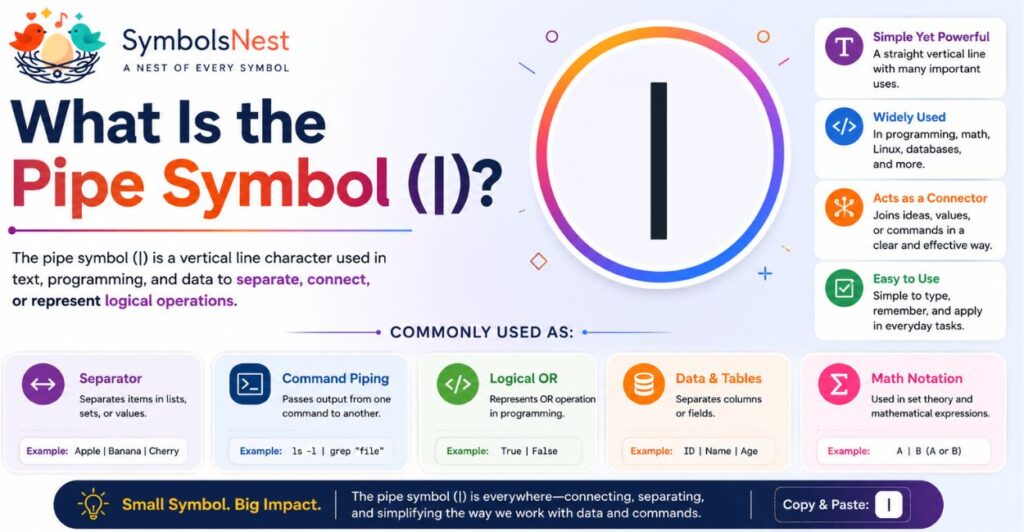
Quick Answer: The Pipe Symbol (|), also known as the Vertical Bar, is a special character used in programming, command line tools, mathematics, text formatting, and computer systems.
It separates, connects, or redirects information depending on the context. In modern computing, it is one of the most widely used keyboard symbols.
The Pipe Symbol (|) is a vertical line that appears on almost every modern keyboard. Although it looks simple, it has many important uses across technology, programming, mathematics, and digital communication
🌟 Pipe Symbol Meaning in English
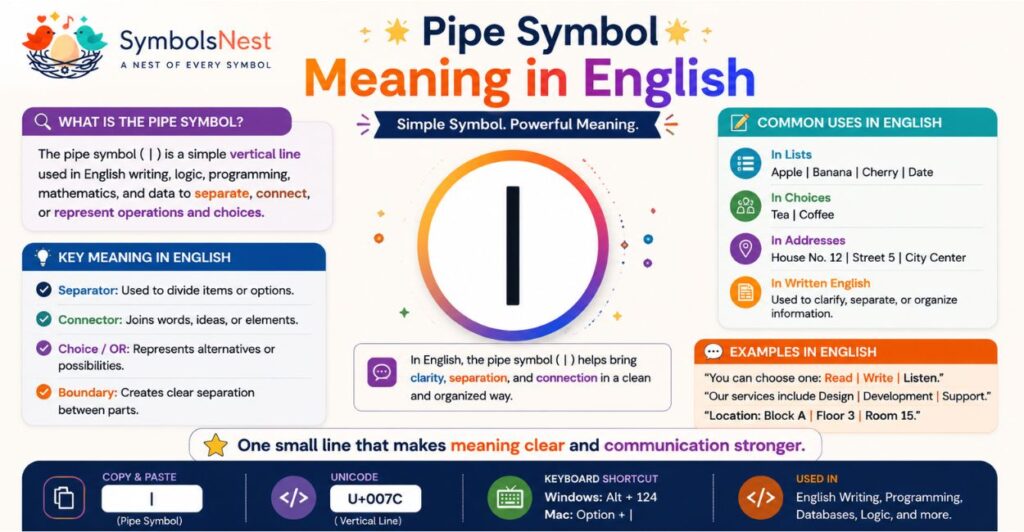
In English, the Pipe Symbol (|) is commonly called the Vertical Bar or simply the Pipe.
The name “pipe” comes from its appearance, a straight vertical line resembling a pipe. While the symbol itself never changes, its purpose depends on where it is used. For example:
• 💻 In programming, it connects commands or performs logical operations.
• 🐧 In Linux, it passes the output of one command to another.
• 📊 In text and tables, it separates values or columns.
• ➗ In mathematics, it can represent conditions, divisibility, or logical expressions.
This flexibility makes the pipe symbol one of the most useful special characters in modern computing.
📌 Quick Facts About the Pipe Symbol
| Feature | Details |
| Symbol | | |
| Common Name | Pipe Symbol |
| Alternative Name | Vertical Bar |
| Unicode | U+007C |
| ASCII Code | 124 |
| HTML Code | | |
| Primary Uses | Programming, Linux, Text Formatting, Mathematics |
| Keyboard Location | Usually above the Enter key or beside the Backspace key (layout depends on keyboard) |
💡 Why Is the Pipe Symbol Important?
Although it looks like a simple vertical line, the pipe symbol plays a major role in computing.
It helps developers write cleaner code, allows Linux users to combine commands efficiently, and makes it easier to organize and display information.
Whether you are a beginner learning programming or simply trying to type the symbol on your keyboard, understanding the Pipe Symbol Meaning helps you use it correctly in different situations.
🔍 Meaning and Common Uses of the Pipe Symbol (|)
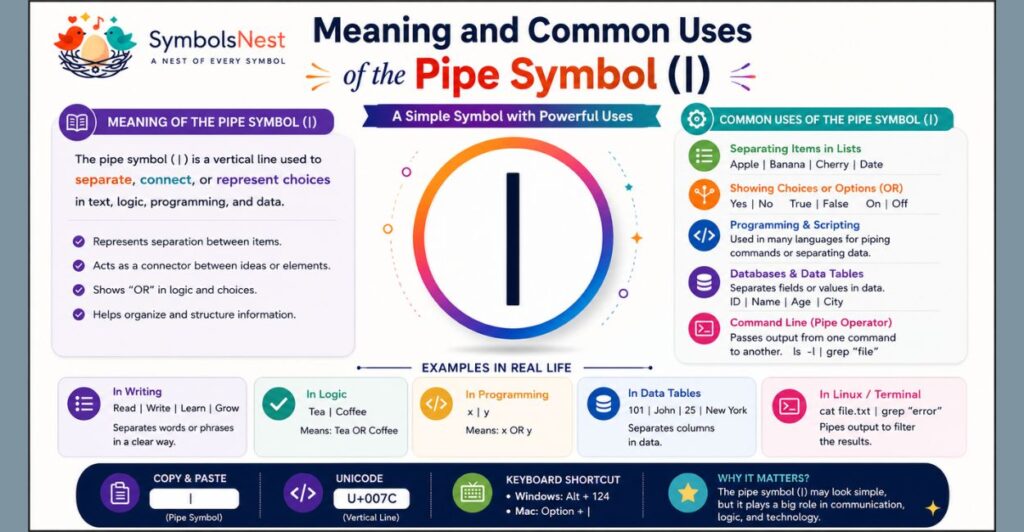
The Pipe Symbol (|), also called the Vertical Bar, is a versatile special character used across programming, mathematics, operating systems, and digital writing. While it looks like a simple vertical line, its meaning changes depending on where it is used.
💻 Pipe Symbol in Programming
In programming, the pipe symbol is commonly used as an operator, separator, or logical expression. Different programming languages use it in different ways to simplify code and process data.
Example
let result = value1 || value2;
🐧 Pipe Symbol in Linux and Terminal
In Linux and Unix systems, the pipe symbol sends the output of one command directly to another command. This helps users combine multiple commands without creating temporary files.
Example
ls | grep “.txt”
➗ Pipe Symbol in Mathematics
In mathematics, the pipe symbol may represent “such that,” “divides,” or conditional notation. Its exact meaning depends on the mathematical expression.
Example
{x | x > 5}
📝 Pipe Symbol in Text Formatting
The pipe symbol is often used to separate words, menu items, categories, or table columns. It makes information cleaner and easier to read.
Example
Home | About | Contact
🤖 Pipe Symbol in AI and Prompt Engineering
Some AI tools and automation workflows use the pipe symbol to separate commands, variables, or prompt sections. It helps organize structured input and improve readability.
Example
Topic | Tone | Audience
📊 Common Uses at a Glance
| 🌍 Field | 📌 Use of Pipe Symbol |
| 💻 Programming | Operators and logical expressions |
| 🐧 Linux | Connects command output |
| ➗ Mathematics | Sets and conditions |
| 📝 Text Formatting | Separates items and menus |
| 🤖 AI Prompts | Organizes structured prompts |
| 📊 Data Tables | Separates columns and values |
🌟 Key Takeaway
The Pipe Symbol Meaning depends on the context, but its main purpose is to connect, separate, or organize information.
Whether you are coding, using Linux, writing documents, or creating AI prompts, the pipe symbol is an essential character that improves clarity and efficiency, much like how a single character such as the asterisk carries several different jobs depending on where it appears.
You can see that same idea explained in our asterisk symbol meaning guide.
⌨️ Pipe Symbol on Keyboard
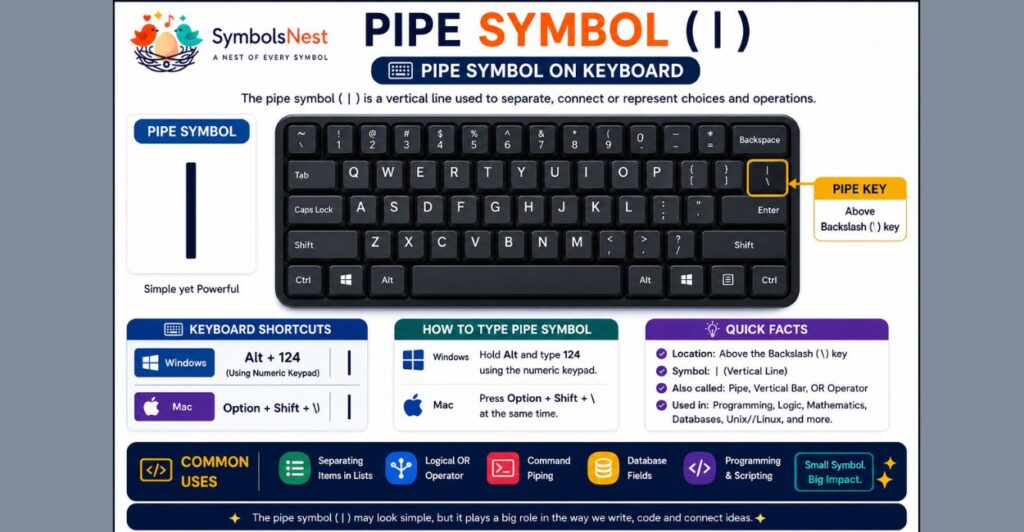
Typing the Pipe Symbol (|) is easy once you know the correct keyboard shortcut. The method varies slightly depending on your device and operating system.
🖥️ How to Type the Pipe Symbol on Windows
On most Windows keyboards, press and hold the Shift key, then press the Backslash (\) key.
Shortcut: Shift + \
If that does not work, you can also use the Alt Code.
Alt + 124
🍎 How to Type the Pipe Symbol on Mac
On a Mac keyboard, press:
Option (⌥) + 7
Some international keyboard layouts may use a different shortcut.
🐧 Pipe Symbol on Linux
Most Linux keyboards use the same shortcut as Windows.
Shift + \
You can also insert the symbol using your desktop’s character map if needed.
💻 Pipe Symbol on Chromebook
Press:
Shift + \
The key is usually located above the Enter key.
📱 Pipe Symbol on Android
1. Open the keyboard.
2. Tap ?123.
3. Tap =< or the symbols page (layout varies).
4. Tap the | symbol.
📱 Pipe Symbol on iPhone and iPad
1. Tap 123.
2. Tap #+=.
3. Select the | (Pipe Symbol).
📄 Pipe Symbol in Microsoft Word
You can type the pipe symbol directly from your keyboard.
Or use: Alt + 124
📑 Pipe Symbol in Google Docs
Press the keyboard shortcut: Shift + \
If the symbol is not available, copy and paste it from below.
📊 Keyboard Shortcut Reference
| 💻 Device | ⌨️ Shortcut |
| Windows | Shift + \ or Alt + 124 |
| Mac | Option + 7 |
| Linux | Shift + \ |
| Chromebook | Shift + \ |
| Android | ?123 → =< → | |
| iPhone/iPad | 123 → #+= → | |
| Microsoft Word | Shift + \ or Alt + 124 |
| Google Docs | Shift + \ |
💡 Tip
If your keyboard layout is different or you are using a laptop without a dedicated key, the easiest solution is to copy and paste the pipe symbol, the same shortcut we recommend on our paragraph symbol meaning page for another character people struggle to type:
🔣 Pipe Symbol Unicode, ASCII and HTML
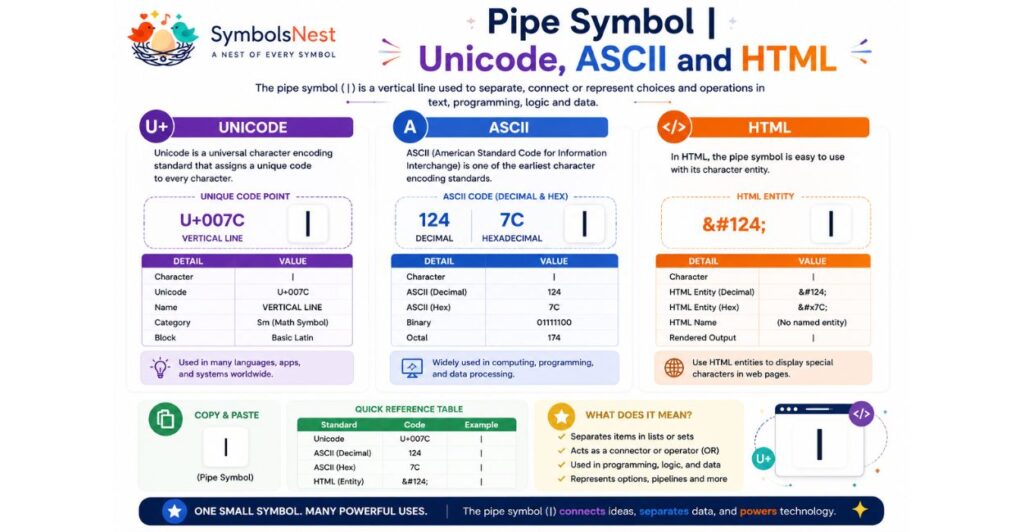
The Pipe Symbol (|) has a unique code in every major character encoding standard.
These codes allow browsers, programming languages, and operating systems to display the symbol correctly across different platforms.
🌐 Pipe Symbol Unicode
Unicode gives every character a unique identifier. The Pipe Symbol is assigned the code point:
U+007C
Unicode ensures the pipe symbol appears consistently on Windows, macOS, Linux, Android, iPhone, and the web.
💻 Pipe Symbol ASCII
In the ASCII character set, the pipe symbol has the decimal value:
124
ASCII is still widely used in programming, terminals, and plain text files.
🌍 Pipe Symbol HTML Code
When writing HTML, you can display the pipe symbol using its character entity.
|
Or simply type the symbol directly: |
Both methods display the same character in modern web browsers.
📊 Pipe Symbol Encoding Reference
| 🏷️ Property | 📌 Value |
| Symbol | | |
| Unicode | U+007C |
| ASCII (Decimal) | 124 |
| ASCII (Hex) | 7C |
| HTML Entity | | |
| UTF-8 | 7C |
| UTF-16 | 007C |
💡 Quick Examples
HTML
Home | About | Contact
JavaScript
const separator = “|”;
Python
text = “Home | About | Contact”
🌟 Key Takeaway
The Pipe Symbol Unicode (U+007C), ASCII code (124), and HTML entity (|) make it easy to use the symbol in websites, programming languages, documents, and digital applications. Learning these codes helps developers and everyday users work with the pipe symbol more efficiently.
💻 Pipe Symbol Programming Examples
The Pipe Symbol (|) is one of the most useful characters in programming. Depending on the language, it can act as a separator, logical operator, bitwise operator, or command connector.
🌐 HTML
In HTML, the pipe symbol is often used to separate menu items or navigation links.
Home | About | Contact
Output: Home | About | Contact
🎨 CSS
The pipe symbol is commonly added as a visual separator using CSS.
.menu::after{
content: “|”;
}
⚡ JavaScript
JavaScript uses a single pipe (|) as a Bitwise OR operator.
let result = 5 | 3;
console.log(result);
Output: 7
🐍 Python
Python uses the pipe symbol for Bitwise OR and, in modern versions, for dictionary merging and type unions.
print(5 | 3)
Output: 7
🗄️ SQL
In several SQL databases, the double pipe (||) joins two strings together.
SELECT ‘Hello’ || ‘ World’;
Output: Hello World
Note: Support for || depends on the database system. Some databases use different operators for string concatenation.
🐧 Bash / Linux
In Linux, the pipe symbol sends the output of one command directly into another command.
ls | grep “.txt”
This command lists files and displays only those ending with .txt.
📊 Programming Uses at a Glance
| 💻 Language | 📌 Common Use |
| HTML | Text separator |
| CSS | Visual separator |
| JavaScript | Bitwise OR operator |
| Python | Bitwise OR and type union |
| SQL | String concatenation (||) |
| Bash/Linux | Connects command output |
💡 Developer Tip
Do not confuse the Pipe Symbol (|) with the Double Pipe (||). A single pipe is often used for bitwise operations or command piping, while a double pipe usually represents a logical OR operator or string concatenation, depending on the programming language.
⚖️ Pipe Symbol vs Similar Symbols
Many special characters look similar to the Pipe Symbol (|), but they serve different purposes. Knowing the difference helps you avoid mistakes in programming, writing, and technical documents.
📊 Pipe Symbol Comparison Table
| 🔣 Symbol | 📛 Name | 📌 Common Use |
| | | Pipe Symbol (Vertical Bar) | Programming, Linux, text separation |
| ¦ | Broken Bar | Legacy character sets, typography |
| / | Forward Slash | URLs, file paths, fractions |
| \ | Backslash | Windows file paths, programming |
| { } | Braces (Curly Brackets) | Code blocks, objects, sets |
| ‖ | Double Pipe Symbol | Mathematics, logic, norms |
🟢 Pipe Symbol (|)
The Pipe Symbol is mainly used in programming, Linux commands, text formatting, and data processing. It connects commands, separates content, or performs logical and bitwise operations.
Example
Home | Services | Contact
🟡 Broken Bar (¦)
The Broken Bar looks similar to the pipe symbol but contains a small gap in the middle. Today, it is rarely used and mostly appears in older character sets or printed documents.
Example: ¦
🔵 Forward Slash (/)
The Forward Slash is commonly used in website URLs, dates, file paths, and mathematical fractions.
Example: https://example.com/blog
🟣 Backslash (\)
The Backslash is widely used in Windows file paths, programming languages, and escape sequences.
Example: C:\Users\Documents
🟠 Brace Symbols ({ })
Braces (or curly brackets) group code blocks, objects, and mathematical sets. They are different from the pipe symbol and have their own programming functions.
Example
if (true) {
console.log(“Hello”);
}
🟤 Double Pipe Symbol (‖)
The Double Pipe Symbol is commonly used in mathematics and logic. In programming, two regular pipes (||) often represent the logical OR operator.
Example
if (age >= 18 || hasPermission) {
console.log(“Access granted”);
}
🌟 Quick Tip
Remember this simple rule:
• = Pipe Symbol (Vertical Bar)
• ¦ = Broken Bar
• || = Logical OR (in many programming languages)
• / = Forward Slash
• \ = Backslash
• { } = Braces
Knowing these differences helps you choose the correct symbol when coding, writing documents, or working with technical content.
📋 Pipe Symbol Copy and Paste
Need to use the Pipe Symbol (|) quickly? Simply copy it from the box below and paste it into your document, code editor, website, email, or social media post.
📌 Copy the Pipe Symbol
⚡ Quick Reference
| 🏷️ Property | 📌 Value |
| Symbol | | |
| Name | Pipe Symbol / Vertical Bar |
| Unicode | U+007C |
| ASCII | 124 |
| HTML | | |
| Windows Shortcut | Shift + \ or Alt + 124 |
| Mac Shortcut | Option + 7 |
| Common Uses | Programming, Linux, Text Formatting |
💡 Where Can You Use the Pipe Symbol?
You can use the Pipe Symbol (|) in many different places, including:
• 💻 Programming and coding
• 🐧 Linux and Terminal commands
• 🌐 HTML and web development
• 📊 Spreadsheets and data tables
• 📝 Text formatting and menus
• 🤖 AI prompts and automation
• 📧 Emails and documents
If copying special characters for your captions or bios is something you do often, our heart symbols guide is a handy copy and paste reference too.
❓ Frequently Asked Questions (FAQs)
What is the Pipe Symbol?
The Pipe Symbol (|), also known as the Vertical Bar, is a special character used in programming, Linux commands, mathematics, and text formatting.
What is the Pipe Symbol meaning in English?
In English, the symbol | is commonly called the Pipe Symbol or Vertical Bar.
How do I type the Pipe Symbol on a keyboard?
On most Windows, Linux, and Chromebook keyboards, press Shift + \. On Mac, press Option + 7.
What is the Pipe Symbol Alt Code?
The Windows Alt Code for the Pipe Symbol is Alt + 124.
What is the difference between the Pipe Symbol and the Vertical Bar?
There is no difference. Both names refer to the same character, |. Pipe Symbol is more common in programming, while Vertical Bar is the formal typographic name.
What is the difference between the Pipe Symbol and Brace Symbol?
The Pipe Symbol (|) is a single vertical line used as an operator or separator. The Brace Symbols ({ }) are curly brackets used to group code blocks, objects, and mathematical sets.
What is the difference between the Pipe Symbol and the Double Pipe Symbol?
A single pipe (|) is used for bitwise operations, separators, or Linux command piping. A double pipe (||) usually represents the logical OR operator in many programming languages.
🔗 Related Symbols
If you are interested in exploring more characters and symbols, these SymbolsNest guides are a great next stop:
• Our full symbols meaning guide, the complete hub for every character we cover.
• The asterisk symbol meaning, another character with several different jobs depending on context.
• The paragraph symbol meaning, a formatting mark just as commonly searched as the pipe.
• If emoji symbolism interests you too, browse the red heart meaning, the white heart meaning, and the broken heart meaning for a completely different kind of symbol guide.
Final Thoughts
The Pipe Symbol (|) may look simple, but it is one of the most useful special characters in computing and digital communication. From programming and Linux commands to text formatting and web development, it serves many practical purposes across different fields.
Whether you wanted to learn the Pipe Symbol meaning, find its Unicode, HTML code, keyboard shortcut, or simply copy and paste it, this guide provides everything you need in one place.
Keep this page bookmarked as a quick reference whenever you need to use the pipe symbol in your projects or daily work, and if you enjoyed this kind of breakdown, our purple heart meaning and black heart meaning guides cover the same idea for two of the most searched emoji on SymbolsNest.

hi iam Emma SymbolsNest.com is a simple website where you can find thousands of symbols and special characters. It helps you copy and paste Unicode symbols for social media, messages, documents, and creative projects.
