

Typing the degree sign should not take five minutes and a Google search, yet it happens to almost everyone at least once. Maybe you are writing a weather report, a recipe, a geometry assignment, or a coordinate for a map, and the ° symbol is nowhere on your keyboard.
This guide covers the fastest copy and paste option, every keyboard shortcut for Windows, Mac, Chromebook and mobile, the Unicode and HTML codes for developers, and how the symbol works in Word, Excel and Google Docs. Bookmark it and you will never need to search for this again.
Quick Copy: Degree Symbol Ready to Paste
Click, copy, and paste any of these directly into your document, chat, or code editor. No keyboard shortcut required.
- ° (standard degree sign, U+00B0)
- ℃ (degree Celsius)
- ℉ (degree Fahrenheit)
- ˚ (ring above, often mistaken for the degree sign)
- ⁰ (superscript zero, used in some math notation)
- ∘ (small circle, used as a composition operator in math)
The plain ° character is the one you want for temperature, angles, and coordinates. The others look similar but serve different purposes, which the sections below explain in detail.
What Is the Degree Symbol
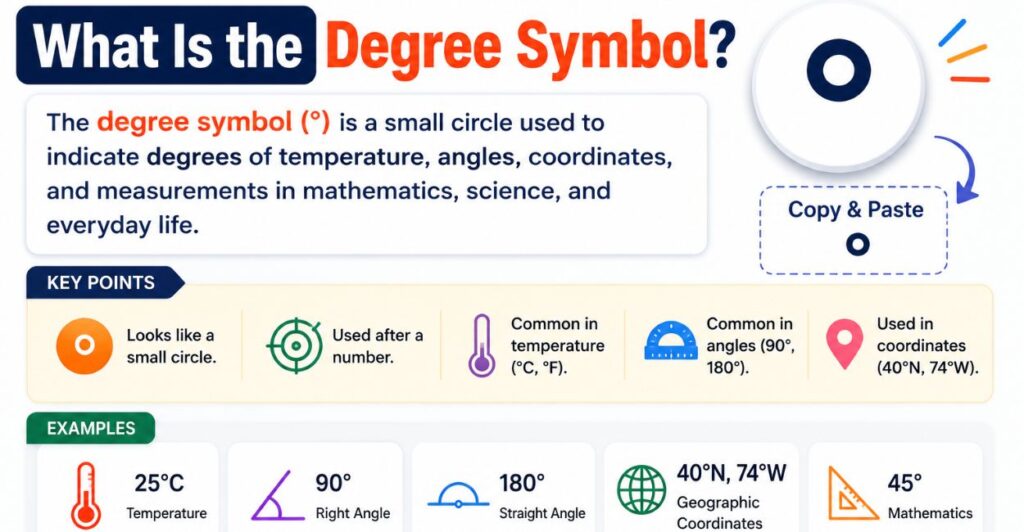
The degree symbol is a small raised circle placed after a number to show degrees of arc, degrees of temperature, or degrees of alcohol proof. It has been part of digital text since the earliest character encoding standards, and today it lives at Unicode code point U+00B0 under the official name Degree Sign.
You will see it in three common contexts:
- Temperature: 98.6°F, 37°C
- Angles and geometry: a 90° angle, a 360° turn
- Geographic coordinates: 40° 26′ 46″ N
Style guides differ slightly on spacing. Scientific bodies such as the BIPM recommend a space between the number and the symbol for temperature, written as 37 °C, while many newsrooms and casual writers keep it tight, as in 37°C. For angles and coordinates, the symbol always sits directly against the number with no space, so 90° is correct and 90 ° is not.
Degree Symbol on Keyboard
Every major operating system has a built in way to produce the degree sign without installing anything extra. The method depends on whether you are using a desktop, a laptop, or an external keyboard.
Windows
Windows offers three reliable routes:
- Alt code: hold Alt and type 0176 on the numeric keypad, then release Alt. Num Lock must be on.
- Emoji panel: press Windows key and period together, then type “degree” in the search box and select the symbol.
- Character Map: open Character Map from the Start menu, locate the degree sign, click Copy, then paste it where needed.
Mac
On any Mac, press Option, Shift, and 8 together. This shortcut works system wide in Pages, Word, Mail, Messages, and web browsers. Avoid Option and K, which produces a similar looking ring diacritic that is not the true degree sign, and avoid Option and 0, which produces a masculine ordinal indicator used in Romance language typography.
You can also open the Character Viewer with Control, Command, and Space, then search for “degree” and double click the result.
Chromebook
Chromebooks use the Linux style Unicode input method. Press Control, Shift, and U together, type 00b0, then press Enter or Space. A small underlined “u” appears while you type the code, confirming the input mode is active.
Laptop
Laptops without a dedicated numeric keypad can still use the Alt code method through a hidden virtual numpad. Look for small numbers printed on keys like J, K, L, U, I, and O. Press Function and Num Lock together to activate this virtual keypad, then hold Alt and type 0176 using those keys.
External Keyboard
A full size external keyboard with a numeric keypad makes the Alt code the simplest option on any Windows machine, since Num Lock and a dedicated number pad remove the guesswork. On Mac, an external keyboard uses the same Option, Shift, 8 shortcut as the built in keyboard.
Where Is the Degree Symbol on a Laptop Keyboard
Laptop brands rarely print the degree sign on a physical key, so the method depends on the built in numeric keypad or the emoji panel rather than the keycap layout.
| Laptop Brand | Best Method |
| HP | Fn plus NumLk to activate virtual numpad, then Alt plus 0176 |
| Dell | Windows key plus period to open the symbol panel |
| Lenovo | Fn plus NumLk for virtual numpad, then Alt plus 0176 |
| ASUS | Windows key plus period, or Character Map |
| Acer | Fn plus NumLk, then Alt plus 0176 |
| Surface | Windows key plus period, since Surface devices often lack a numeric keypad entirely |
If a laptop keyboard does not respond to the Alt code, the Windows key plus period shortcut almost always works as a fallback, since it does not depend on a numeric keypad at all.
Degree Symbol on Keyboard Phone
Mobile keyboards hide the degree sign inside the numbers and symbols view rather than a dedicated key, but the symbol is only a long press away on every major platform.
Android
Switch the keyboard to the numbers or symbols view, then press and hold the 0 key. A small popup shows the degree sign, and sliding your finger to it and releasing inserts the character.
Samsung
Samsung’s own keyboard follows the same pattern as stock Android. Tap the symbols key, then long press 0 to reveal the degree sign in the popup.
Google Pixel
Pixel phones use Gboard by default. Tap the question mark and number icon to switch to symbols, then long press 0, or check the second symbols page for a dedicated degree key.
iPhone
Tap the 123 key to switch to numbers, then press and hold the 0 key. The degree symbol appears in a small popup above the key, and sliding to it selects the character.
iPad
iPadOS uses the same method as iPhone. Switch to the numeric keyboard, hold the 0 key, and slide to select the degree sign from the popup.
A useful shortcut for frequent use on any phone is a custom text replacement. On iOS, go to Settings, General, Keyboard, Text Replacement, and set the phrase to ° with a short shortcut like “deg.” Typing “deg” followed by a space then inserts the symbol automatically.
Degree Celsius Symbol
There are two ways to represent Celsius temperature: the two character combination ° followed by C, and the single ligature character ℃, which combines both into one glyph at Unicode point U+2103.
The plain °C is the safer and more widely supported choice for everyday writing, documents, and most websites, since every font that includes basic Latin characters supports it. The single character ℃ exists mainly for compact display in specialized software, digital thermometers, and some East Asian typesetting, but it renders inconsistently across older fonts and is not recommended for formal or scientific writing.
| Format | Character | Unicode | Best Use |
| Degree sign plus C | °C | U+00B0 + U+0043 | Standard writing, documents, web |
| Celsius ligature | ℃ | U+2103 | Compact display, limited compatibility |
| Degree sign plus F | °F | U+00B0 + U+0046 | Standard writing, documents, web |
| Fahrenheit ligature | ℉ | U+2103 | Compact display, limited compatibility |
Degree Celsius Symbol Text
For anyone who just needs the character right now, here is a ready to copy box.
- ° (plain degree sign)
- ℃ (Celsius ligature)
- °C (recommended two character format)
Paste directly into a spreadsheet cell, a caption, or a code editor. If a font does not display the ligature correctly, switch to the two character °C format, which works everywhere.
Degree Symbol Copy and Paste Aesthetic
Beyond scientific writing, the degree symbol has become a popular decorative element for social media bios, usernames, and captions, often paired with other small symbols to create a minimalist aesthetic.
Some combinations that creators commonly use:
- ❍°
- ✦°
- ⊹°
- ✧°
- ⟡°
These pairings work well for Instagram bios, Pinterest boards, and TikTok captions where a soft, minimal visual style is the goal. Because the degree sign is a small, round, understated shape, it pairs naturally with stars, diamonds, and dot symbols without overwhelming the surrounding text.
Usernames also benefit from the same trick, since a lone ° at the end of a handle gives it a quiet, designed feel without adding extra letters or numbers. Content creators who post outfit inspiration, coffee shop photos, or minimalist lifestyle content often reach for this style because it echoes the clean, uncluttered look of the images themselves. Since these are plain Unicode characters rather than images, they display correctly across Instagram, TikTok, X, Pinterest, and Discord without any special app or font installation, and they remain fully searchable and copyable by anyone who wants to reuse the same style.
90 Degree Symbol
A 90 degree angle, written as 90°, is the mathematical definition of a right angle, where two lines meet perpendicularly. It is one of the most referenced angle measurements in geometry, architecture, and everyday design because it forms the corner of a square, a rectangle, and most furniture and building structures.
In geometry classification, angles are grouped by size relative to 90°:
- Acute angle: less than 90°
- Right angle: exactly 90°
- Obtuse angle: greater than 90° and less than 180°
- Straight angle: exactly 180°
To type 90°, use any of the keyboard methods above for the degree sign, then place the number 9 and 0 directly before it with no space.
180 Degree Symbol
A 180 degree angle, written as 180°, describes a straight line, since it represents exactly half of a full rotation. In everyday language, “doing a 180” means reversing direction completely, a phrase borrowed directly from this geometric meaning. It is typed the same way as any other degree measurement, by placing the number before the degree sign with no space in between.
360 Degree Symbol
A 360 degree turn, written as 360°, represents one complete rotation, bringing an object back to its exact starting position. The number 360 comes from ancient Babylonian mathematics, which divided a circle into 360 equal parts.
This measurement shows up across several modern fields:
- Geometry: a full circle always measures exactly 360°
- Photography and virtual tours: a 360° camera captures an entire scene in every direction at once, commonly used for real estate walkthroughs and travel content
- Marketing: a “360 degree marketing strategy” means covering every channel and touchpoint around a customer, borrowing the geometric idea of complete coverage
- Sports and gaming: a “360” refers to a full aerial spin, common in skateboarding, snowboarding, and basketball dunk contests
Degree Sign vs Similar Looking Characters
Several characters resemble the degree sign closely enough to cause confusion, especially when copying text from an unfamiliar source. Mixing them up can break search functionality, data validation, and scientific accuracy, so it is worth knowing exactly how each one differs.
| Character | Name | Typical Use | Looks Like Degree Sign |
| ° | Degree Sign (U+00B0) | Temperature, angles, coordinates | This is the correct character |
| ˚ | Ring Above (U+02DA) | Diacritic mark in some European languages | Yes, very close |
| º | Masculine Ordinal Indicator (U+00BA) | Romance language ordinal numbers, such as 1º | Yes |
| ⁰ | Superscript Zero (U+2070) | Exponents and math notation | Somewhat |
| ∘ | Ring Operator (U+2218) | Function composition in mathematics | Somewhat |
| o | Lowercase Letter O | Not a symbol at all, sometimes used informally | Loosely |
For any document involving temperature, geometry, geography, or scientific data, the correct choice is always the plain degree sign, U+00B0. Using a lookalike character may pass a quick visual check but will fail when the text is searched, sorted, or processed by software that expects the exact Unicode value.
History of the Degree Symbol
The small raised circle used for degrees traces back to ancient Babylonian astronomy, which divided the circle into 360 parts to track the movement of celestial bodies across the sky. That same 360 degree system carried forward through Greek and later European mathematics, eventually becoming the standard unit for measuring angles and, by extension, temperature scales.
In terms of digital text, the degree sign was missing from the original 7 bit ASCII standard published in 1963, since that early character set focused on English letters, numbers, and basic punctuation rather than scientific notation. The symbol was formally added in 1987 through the ISO/IEC 8859 standard at position 176 decimal, commonly written as 0xB0 in hexadecimal. When the Unicode standard launched in 1991, it absorbed the ISO/IEC 8859 code points directly, which is why the degree sign sits at U+00B0 today, a number that mirrors its earlier position in the older 8 bit standard. This shared history is part of why the Alt code on Windows, Alt plus 0176, and the Unicode code point line up so closely.
Degree Symbol Alt Codes and Shortcuts at a Glance
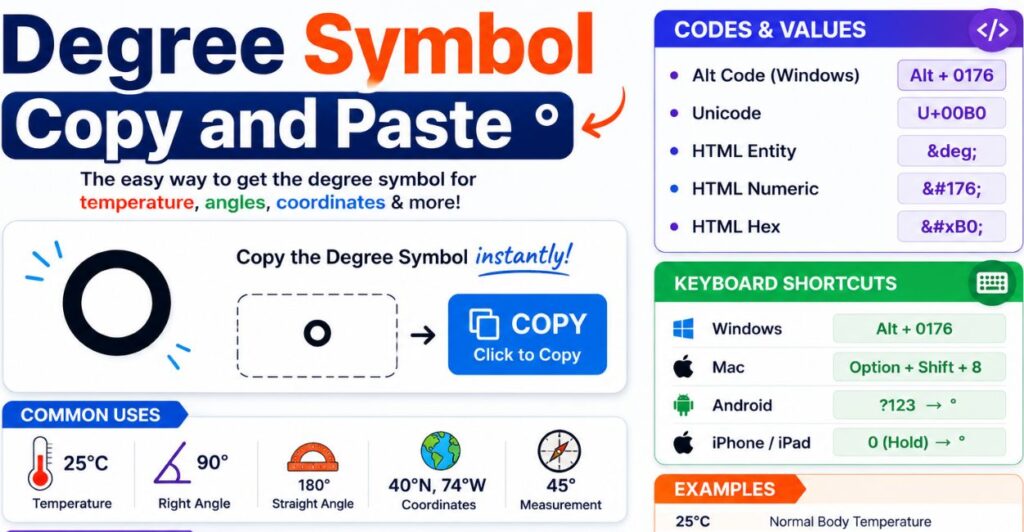
For quick reference, here is every shortcut mentioned in this guide gathered into one place.
| Platform | Shortcut |
| Windows (numeric keypad) | Alt + 0176 |
| Windows (no numpad) | Windows key + period, then search “degree” |
| Mac | Option + Shift + 8 |
| Mac (Character Viewer) | Control + Command + Space, then search “degree” |
| Chromebook / Linux | Ctrl + Shift + U, type 00b0, press Enter |
| iPhone / iPad | Hold the 0 key on the numeric keyboard |
| Android / Samsung / Pixel | Switch to symbols keyboard, hold 0 |
| Microsoft Word | Type 00B0, then press Alt + X |
| HTML | ° or ° or ° |
Keeping this table bookmarked removes the need to search for the shortcut again on a new device, since almost every operating system and app is covered in a single glance.
Degree Symbol Unicode, HTML and CSS Codes
Developers and web designers need the exact code rather than a copy and paste character, especially when working directly in source files.
| Format | Code | Notes |
| Unicode | U+00B0 | Official code point, named Degree Sign |
| HTML named entity | ° | Most readable option in HTML source |
| HTML decimal entity | ° | Numeric equivalent of the named entity |
| HTML hex entity | ° | Hexadecimal numeric entity |
| CSS content property | \00B0 | Used inside pseudo element content, for example content: “\00B0” |
| ASCII/UTF-8 bytes | C2 B0 | Two byte UTF-8 encoding |
| Alt code (Windows) | Alt + 0176 | Also works as Alt + 248 on some systems |
For programming languages, the degree sign can usually be inserted as a literal Unicode character directly in a string, such as “45°” in Python, JavaScript, or Java, as long as the file is saved with UTF-8 encoding. If a literal character causes issues, the escape sequence \u00B0 works across most modern languages as a safe alternative.
Degree Symbol in Word, Excel and Google Docs
Office software offers built in tools that go beyond copy and paste, which is useful for anyone typing the symbol repeatedly in a long document or spreadsheet.
- Word: type 00B0 then immediately press Alt and X, and Word converts the code into the degree symbol automatically. Alternatively, use Insert, Symbol, More Symbols, and search for character code 00B0 in the Latin-1 Supplement subset.
- Excel: the Alt code method, Alt plus 0176, works directly inside a cell as long as Num Lock is on. Excel also supports the same Insert, Symbol path as Word.
- Google Docs: go to Insert, Special Characters, and type “degree” into the search box, then click the symbol to insert it at the cursor.
- Outlook: the same Alt plus 0176 shortcut works inside the body of an email, since Outlook shares much of its text engine with Word.
- Gmail: since Gmail runs in a browser rather than a native app, the fastest method is copying the symbol from a page like this one and pasting it directly into the compose window.
Degree Symbol in Python, JavaScript and CSS
Developers often need the degree sign inside strings, templates, or stylesheets rather than a document, and each language handles it slightly differently.
- Python: save the file with UTF-8 encoding and type the character directly inside a string, such as temp = “37°C”, or use the escape sequence “\u00B0” for guaranteed compatibility across systems.
- JavaScript: the literal character works fine in most modern editors, or use the escape “\u00B0” inside a template literal or string for extra safety in older browsers.
- Java: use the escape sequence “\u00B0” inside a String, since Java source files historically favor explicit Unicode escapes over relying on file encoding.
- CSS: for pseudo elements, the content property accepts the escape “\00B0”, written as content: “\00B0”, which renders the degree sign without needing the literal character in the stylesheet.
- HTML: use the named entity ° for readability in source code, since it is easier to spot during a code review than a raw Unicode character.
Across all of these, the safest long term choice for cross platform code is the escape sequence rather than the literal character, since escape sequences remain readable and correct even if a file gets saved or transferred with the wrong encoding somewhere along the way.
Common Mistakes When Typing the Degree Symbol
A few small errors show up often enough to be worth flagging directly.
- Using Option plus K on Mac instead of Option, Shift, 8. This produces a ring diacritic that looks close but is a different character and can break search or data matching.
- Adding a space between the number and the symbol for angles or coordinates, where no space belongs, such as writing 90 ° instead of 90°.
- Relying on the letter “o” or the numeral zero as a stand in for the degree sign in casual typing, which looks similar but is not searchable or standards compliant.
- Using the Celsius ligature ℃ in contexts with strict font support requirements, where the safer two character °C renders more reliably.
- Copying the symbol from a low quality source that inserts hidden formatting along with the character, which can cause odd spacing or font mismatches once pasted into a document.
- Forgetting that Num Lock must be active before an Alt code will work on Windows, which is the most common reason the shortcut appears to fail entirely.
- Assuming every font renders the degree sign identically. Most standard fonts handle it well, but a few decorative or icon heavy fonts substitute a different glyph at that Unicode position.
FAQs
Where is the degree symbol on a laptop keyboard?
Most laptops do not print it on a key. Use Windows key plus period, or activate the hidden numpad with Fn plus NumLk and type Alt plus 0176.
How do I type the degree symbol on my phone?
Switch to the numbers or symbols keyboard, then press and hold the 0 key until the degree sign appears in a popup.
How do I insert a degree Celsius symbol?
Type the degree sign using your device shortcut, then add the letter C directly after it with no space, giving you °C.
What is the difference between ° and ℃?
° is the standalone degree sign used before a letter like C or F, while ℃ is a single ligature character combining both, with more limited font support.
How do you type a 90 degree symbol?
Type the number 90 followed immediately by the degree sign with no space, using any of the keyboard shortcuts above.
How do you write 360 degrees?
Write the number 360 directly followed by the degree sign with no space, as in 360°, representing one full rotation.
Is there a degree symbol emoji?
No, the degree sign is a standard text character, not an emoji, so it does not have a colorful emoji style rendering on any platform.
Conclusion
The degree symbol looks like a small detail, but getting it right matters for clear temperature readings, accurate angle measurements, and clean code. Whether you copy the ° character directly from this page, use a keyboard shortcut on Windows, Mac, Chromebook, or mobile, or reach for the Unicode and HTML codes as a developer, every method above gets the same correct result.
There is no single best method for everyone. A student typing a one off geometry answer will reach for copy and paste, a frequent Word user will benefit more from the Alt plus X trick, and a developer will want the escape sequence baked directly into their code. Whichever situation applies today, bookmark this guide so the next time you need ° in a hurry, the answer is one paste away.
For more copy and paste text symbols, browse the full symbols meaning guide on SymbolsNest.

hi iam Emma SymbolsNest.com is a simple website where you can find thousands of symbols and special characters. It helps you copy and paste Unicode symbols for social media, messages, documents, and creative projects.
