

Stars are one of the most loved symbols online. People use them to decorate usernames, bios, captions, and chats. If you are looking for a fast way to grab star symbols without typing codes or hunting through emoji menus, you are in the right place. Below you will find over 100 aesthetic star symbols ready to copy and paste, along with simple answers to the questions people ask most about typing and using them. Just click, copy, and paste anywhere you like, on any device or app.
100+ Aesthetic Star Symbols
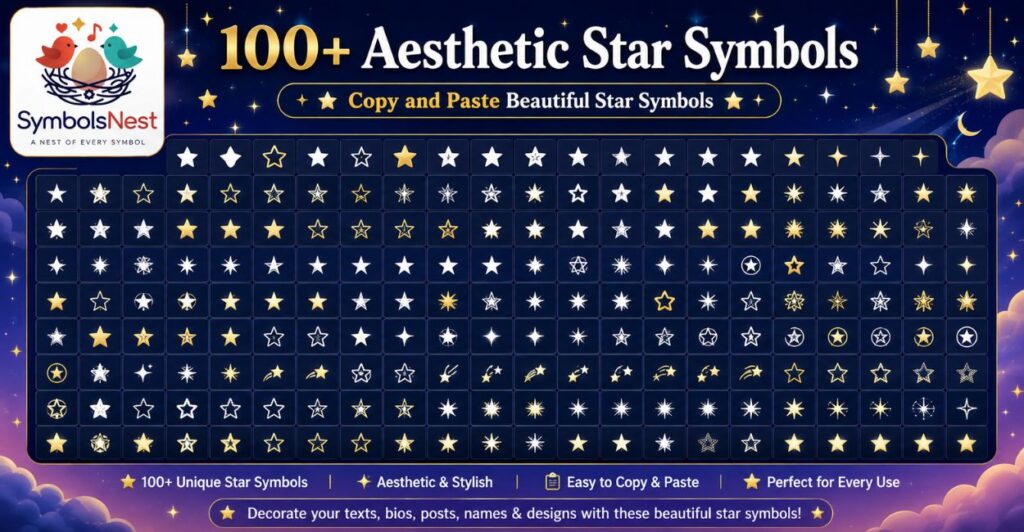
Here is a large collection of star symbols you can copy directly. They work on Instagram, TikTok, Discord, WhatsApp, Facebook, and most websites and apps.
★ ☆ ✦ ✧ ✩ ✪ ✫ ✬ ✭ ✮ ✯ ✰ ⭐ 🌟 💫 ✡ 🔯 ⋆ ⭑ ⭒ ⭓ ⭔ ✵ ✶ ✷ ✸ ✹ ✺ ✻ ✼ ✽ ✾ ✿ ❀ ❁ ❂ ❃ ❄ ❅ ❆ ❇ ❈ ❉ ❊ ❋ ⛤ ⛥ ⛦ ⛧ 🌠 ˚₊· ͟͟͞͞➳❥ ⋆。°✩ ⋆⁺₊✧ ⚝ ✴ ⁂ ⁎ ⁑ ✢ ✣ ✤ ✥ ❉ ❊ ⭐️ 🌌 ˖°𖥔 ݁ ˖ ⋆⭒˚。⋆ ✩₊˚ 𖤓 𖥸 ⋆౨ৎ˚ ✯ ⋆⋆.˚ᵎᵎᵎ ⋆.ೃ࿔*: ⋆.˚ 🎇 ⋆ ⁺˚ 🌟 ⋆。°✩ ★★★ ☆☆☆ ✦✦✦ ✧✧✧ ✩✩✩ ⭐⭐⭐ 🌟🌟🌟 💫💫💫 ⋆⋆⋆ ⭑⭑⭑ ⭒⭒⭒ ✴✴✴ ⁂⁂⁂ ✢✢✢ ✣✣✣ ✤✤✤ ✥✥✥ ❉❉❉
Feel free to mix and match single symbols or repeat them in a row to build your own aesthetic pattern for bios, chat names, or decorative text.
How do you type ☆ on a keyboard?
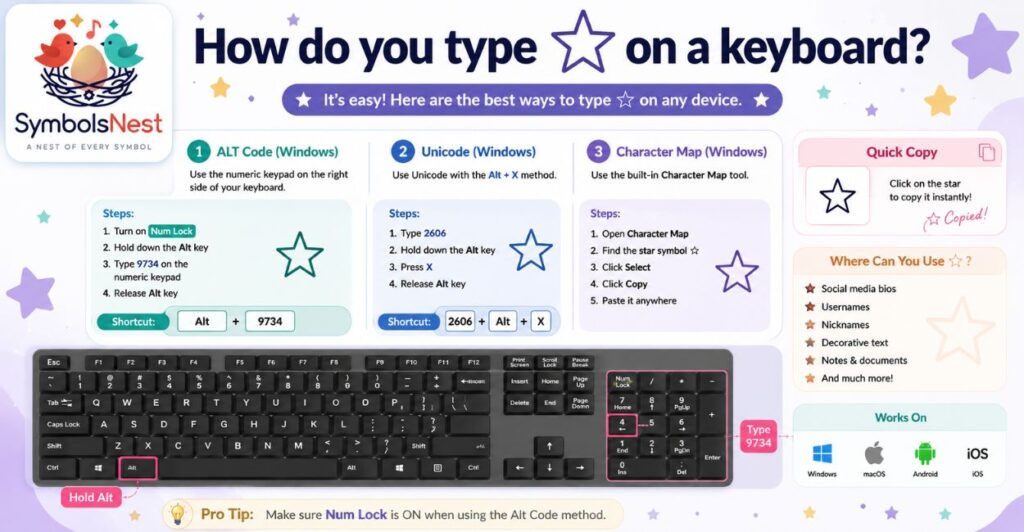
There is no direct key on a standard keyboard for the star symbol, so most people rely on shortcuts.
On Windows, hold the Alt key and type a numeric code on the number pad, such as Alt plus 9734 for an outlined star. On Mac, open the Character Viewer with Control plus Command plus Space and search the word star.
Mobile users can long press the emoji keyboard and search star, or simply copy the symbol from a page like this one and paste it wherever needed. Copying is by far the quickest method since it skips codes entirely.
What is the alt code for ★?
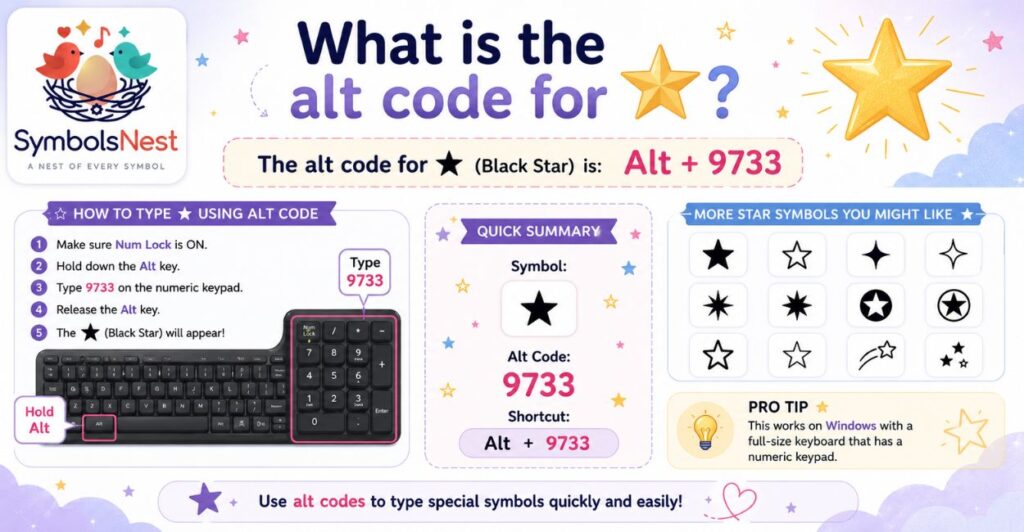
The alt code for the solid black star ★ is Alt plus 9733. To use it on a Windows computer, make sure Num Lock is turned on, hold down the Alt key, and type 9733 using the numeric keypad on the right side of your keyboard.
Once you release Alt, the star symbol will appear at your cursor. For the outlined version ☆, the code is Alt plus 9734 instead. Laptops without a numeric keypad may need Num Lock enabled through a function key combination before the code will work correctly.
What is ✪?
The symbol ✪ is known as a circled white star. It shows a hollow star sitting inside a circle outline, giving it a badge like or seal like appearance. People often use it to highlight favorite items, mark achievements, or add a decorative touch to usernames and lists.
It belongs to the Unicode Miscellaneous Symbols block alongside other star variations. Since it renders as plain text rather than a colorful emoji, it keeps a clean and minimal look that fits well in aesthetic bios, dividers, and stylish text designs across most social platforms.
What are some cute star symbols?
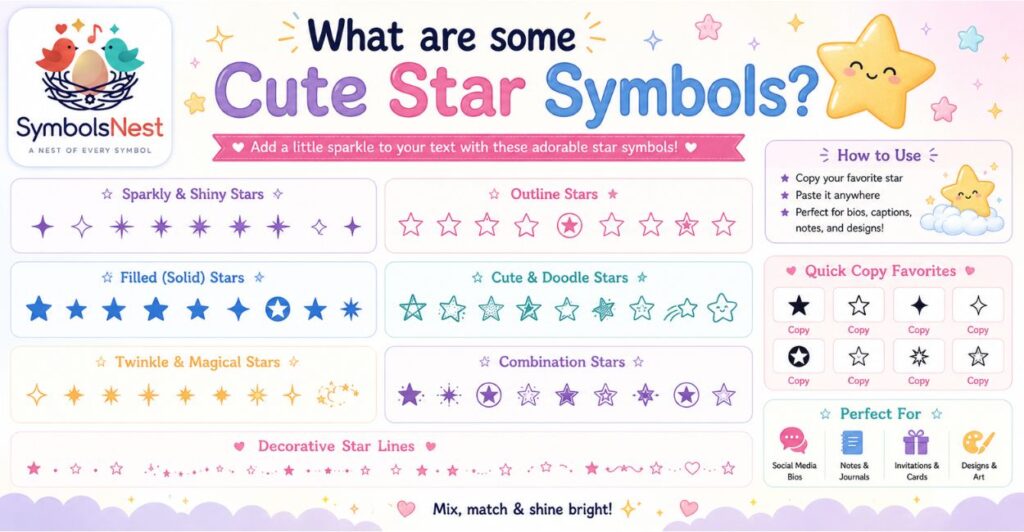
Cute and aesthetic star options include ⋆ ⭑ ⭒ ✩ ✧ ✦ and the sparkle style combos like ⋆。°✩ or ✩₊˚. These smaller, softer shaped stars are popular for Pinterest style bios, journal decorations, and soft aesthetic usernames because they feel light rather than bold.
Many creators pair them with dots, snowflakes, or sparkle emoji to build a dreamy layout. Since they are plain Unicode characters, they can be resized using formatting tools and placed anywhere in text, making them a favorite for minimal, cottagecore, and pastel style content across apps.
My Experience With Star Symbols Copy and Paste
I add star symbols to almost everything I publish online, from blog titles to social captions, and I have tested dozens of these characters across different platforms over time.
What I have noticed is that not every symbol displays the same way on every device. A star that looks crisp and bold on my laptop sometimes appears as a small box on an older phone, so I always test a new symbol on two or three devices before using it in something important like a bio or a thumbnail.
I also learned that copying directly from a trusted source saves far more time than memorizing alt codes, especially when I am working quickly and switching between many symbols in one sitting.
Over the months I have settled on a small personal set of favorites, mainly ★ ⋆ ✩ and 🌟, because they render consistently and match the clean style I like for my own content.
My advice to anyone new to this is simple, keep a small note with your go to symbols saved so you never have to search from scratch again.
Black Star Symbol ★ Copy and Paste
The black star symbol is one of the most used decorative characters for bios, captions and usernames. Tap the button above or any symbol below to copy it instantly, no app or keyboard shortcut needed.
Black Star Symbols Copy and Paste
Every common black and white star character in one table. Click Copy next to any symbol to add it to your clipboard.
| Symbol | Name | Copy |
|---|
Black Star Symbol Meaning
The star symbol is primarily a typographic and decorative character rather than a symbol with one fixed meaning. Depending on where it is used, it can represent emphasis, a rating, excellence, decoration or a simple visual divider between words. There is no single universal spiritual or biblical meaning attached to the character itself, its meaning shifts with the context it appears in, whether that is a five star review, a bullet point, or a line in an aesthetic bio.
Black Star Emoji vs Black Star Symbol
These characters are often confused, so here is the distinction in plain terms.
| Character | Type | Description |
|---|---|---|
| ★ | Unicode symbol | Filled star character, renders as plain text on most platforms |
| ☆ | Unicode symbol | Outlined star character |
| ⭐ | Emoji | Emoji presentation of a star, renders as a colored graphic |
| 🌟 | Emoji | Glowing star emoji |
| ✨ | Emoji | Sparkles emoji, often paired with star symbols |
Black Star Unicode and Character Code
Each star character has its own Unicode code point. These are useful for developers, designers or anyone entering symbols through a Unicode input method.
| Character | Unicode |
|---|---|
| ★ | U+2605 |
| ☆ | U+2606 |
| ✦ | U+2726 |
| ✧ | U+2727 |
| ✩ | U+2729 |
| ✪ | U+272A |
How to Type a Black Star Symbol on Keyboard
| Device | Method |
|---|---|
| Windows | Hold Alt and type 9733 on the numeric keypad |
| Mac | Open Character Viewer with Control + Command + Space, then search star |
| Android | Switch to the symbols keyboard, or use a Unicode keyboard app |
| iPhone | No native shortcut, copy and paste is the fastest method |
| HTML | Use the character reference ★ |
| Any device | Copy and paste directly from this page |
Black Star Symbols for Instagram
Ready to use combinations for bios, captions and highlight names. Tap any card to copy the whole line.
Aesthetic Black Star Symbols
Minimal
Sparkle
Decorative
Cute
Black Star Symbols for Bio, Username and Captions
Stars work best in bios and usernames when they frame a word rather than crowd it. A few ready to copy examples:
Black Star Symbol Keyboard Shortcuts
Shortcut methods vary by operating system and by app, so the table below covers the most reliable option for each platform rather than every possible variation.
| Platform | Shortcut |
|---|---|
| Windows (Word or browser) | Alt + 9733 |
| Mac (system wide) | Character Viewer search |
| Linux | Ctrl + Shift + U, then 2605 |
| Web and mobile | Copy and paste |
Black Star Symbol in HTML, CSS and Unicode
For developers adding a star symbol directly in code rather than pasting it as text:
content: “\2605”;
}
Black Star Symbol vs White Star Symbol
| Symbol | Common name | Character |
|---|---|---|
| ★ | Black Star | Filled |
| ☆ | White Star | Outlined |
The filled black star tends to read as bolder and more confident in a bio or caption, while the outlined white star feels lighter and pairs well with soft or minimal aesthetics. Neither version is more correct, the choice comes down to the visual style you are going for.
Black Star Symbol FAQ
What is the black star symbol?
It is a filled star character, ★, used across bios, captions, ratings and decorative text.
How do I copy and paste a black star?
Tap any copy button on this page, or highlight the ★ symbol and copy it like normal text.
What is the Unicode for ★?
The black star symbol is Unicode character U+2605.
How do I type ★ on a keyboard?
On Windows hold Alt and type 9733 on the numeric keypad, on Mac use the Character Viewer, or simply copy and paste it.
Is ★ a symbol or emoji?
★ is a Unicode text symbol, not an emoji. Emoji versions like ⭐ render as colored graphics instead of plain text.
What is the difference between ★ and ⭐?
★ is a plain text character that keeps the same look everywhere, while ⭐ is an emoji that can look different across devices and apps.
What does a black star symbol mean?
It does not have one fixed meaning, it is generally used for emphasis, ratings, decoration or as a visual divider.
Can I use ★ on Instagram?
Yes, it works in bios, captions, usernames and highlight names since it is a standard text character.
Related Symbol Guides
Further Reading on Unicode Stars
- Official Unicode chart for Miscellaneous Symbols (U+2600 range), the source reference for every star character on this page.
- W3Schools UTF-8 symbol reference for HTML character codes.
- The Unicode Consortium for background on how text symbols are standardized across devices.
Frequently Asked Questions
How do I type a ★?
The fastest way is to copy it from this page. On Windows you can also use Alt plus 9733 on the numeric keypad.
What does ✪ mean on Snapchat?
It usually just decorates a username or caption and does not carry an official Snapchat meaning on its own.
What does 💫 mean in texting?
It generally signals excitement, a bit of magic, or a compliment about someone shining or standing out.
What does 🌟 mean from a guy?
It typically shows praise or admiration, often used to say someone did great or looks impressive.
What does 💫✨ mean from a girl?
Together they usually express warmth, excitement, or affectionate praise rather than anything with a fixed hidden meaning.
What things symbolize stars?
Stars commonly represent guidance, hope, achievement, dreams, and excellence across cultures and everyday use.
Do star symbols work on all devices?
Most modern phones and computers display them correctly, though very old devices may show a blank box instead.
Conclusion
Star symbols are a simple way to add personality to usernames, bios, and messages without needing any design skills.
Whether you want a bold solid star, a soft outlined one, or a sparkle style combo, copying and pasting is the quickest route. Keep a few favorites saved so you can reuse them anytime, and always test new symbols on your main devices to be sure they display properly. With over 100 options above, you have more than enough variety to build a look that feels uniquely yours.

hi iam Emma SymbolsNest.com is a simple website where you can find thousands of symbols and special characters. It helps you copy and paste Unicode symbols for social media, messages, documents, and creative projects.
