
Fancy Text Generator
Transform Your Text Into 200+ Stylish Fonts – Copy and Paste Anywhere!
Joiner Text
Device Test
What is tested: the 22 Unicode alphabets below (Bold, Italic, Script, Fraktur, Double Struck, Monospace, Circled, Squared, Negative Circled, Negative Squared, Parenthesized, Fullwidth, Superscript, Subscript and more). Each letter is drawn on a hidden canvas and compared with a missing-glyph shape, so the result shows whether this browser and device has a font for it.
What is not tested: combining-mark styles (strikethrough, underline, Zalgo, glitch), decorations, emoji, and how a specific app (Instagram, WhatsApp, TikTok, Discord, Roblox) filters or re-renders characters. Passing here does not guarantee the app will accept the text.
Known limitations: very old Android and Windows versions may lack Math Alphanumeric glyphs (Bold, Script, Fraktur). Negative Squared letters A, B, O and P can switch to emoji icons on some phones, so this tool adds a text-style selector to reduce that. Usernames on Instagram and Roblox accept plain characters only. To verify an app, copy the test string and paste it there; a line that shows a box is unsupported.
| Style | Sample | This device |
|---|
Social Media Bio Generator
Your text above becomes the name inside each ready-made bio.
Symbols Library
Gradient Text Generator
Gradient colors cannot be pasted into Instagram, WhatsApp or other apps as text. Use the PNG for images and the HTML or CSS for websites.
Username Generator
Uses the first word of your text as the keyword. Availability is not checked, so test each name in the app.
Multi-Preview: Compare Styles
No styles found. Try another word or clear the search.
How to use this fancy text generator
- Type or paste your text in the box.
- Browse the styles, or filter by category and platform.
- Press Copy, then paste into your bio, caption, name or chat.
Frequently asked questions
How do I use a fancy text generator?
Type or paste your text, choose a style, press Copy and paste it into your bio, caption, display name or chat.
Why do some fancy fonts show boxes?
Fancy fonts are Unicode characters, not installed fonts. Devices without the matching glyphs show empty boxes. Use the Device Test tab to check.
Can I use fancy text in a username?
Only where the platform allows it. Instagram and Roblox usernames are plain only; display names, bios and captions usually accept fancy text.
Is my text saved or sent anywhere?
No. Everything runs in your browser. Favorites, history and your last text are stored locally on your device.
Unicode styles are special characters, not installed fonts. Some apps or devices may show boxes or plain letters for rare symbols.
Fancy Text Generator – 200+ Stylish Fonts to Copy and Paste
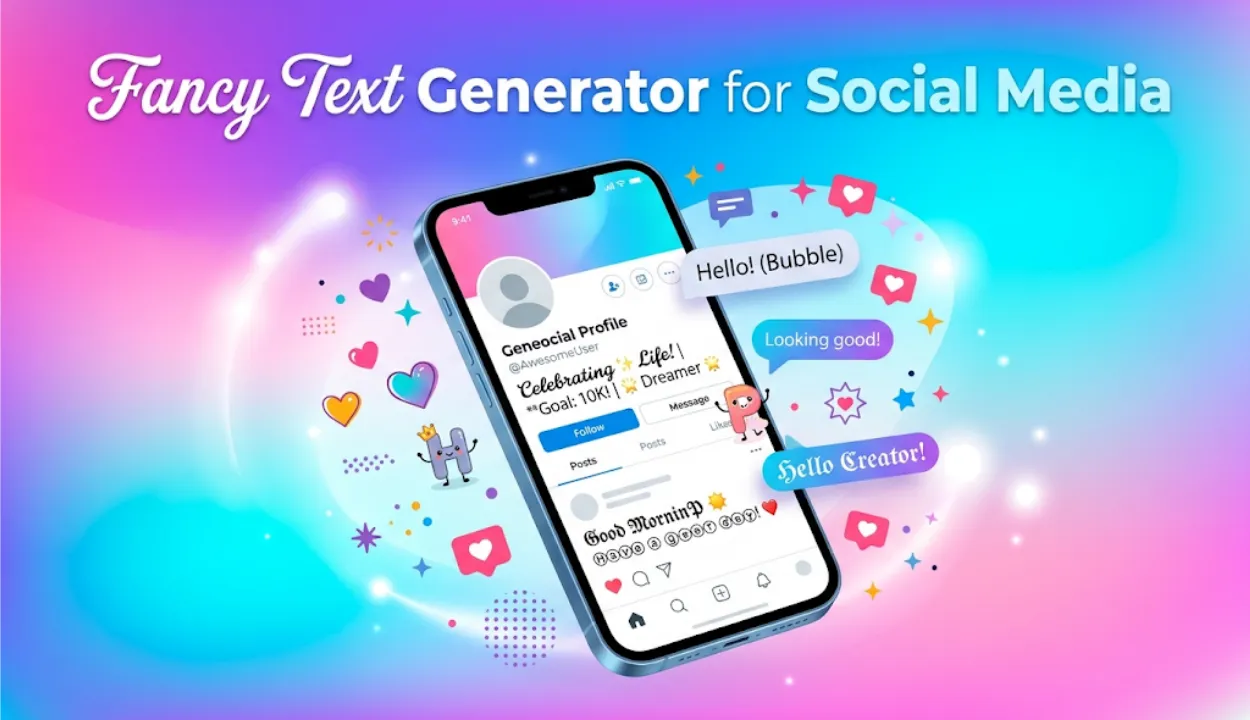
Looking for a simple way to make ordinary text look creative, stylish, and attractive? Our Fancy Text Generator helps you transform regular letters into beautiful Unicode text styles that you can copy and paste almost anywhere. Whether you want an eye-catching Instagram bio, a cool gaming username, an aesthetic profile name, or a decorative WhatsApp message, you can find a style that matches your personality.
With this free Fancy Text Generator, you can explore bold, italic, cursive, gothic, bubble, double-struck, small caps, and many other text variations. You can also personalize your words with hearts, stars, flowers, and decorative symbols.
Unlike traditional font-changing software, this tool creates special Unicode characters that can often be copied directly into social media profiles, messaging apps, games, and other text fields.
Simply enter your text, explore the available styles, select your favorite design, and copy it with one click.
What Is a Fancy Text Generator?
A Fancy Text Generator is an online tool that converts ordinary letters and numbers into decorative text using special Unicode characters. It allows you to create stylish words without downloading fonts, installing software, or learning complicated design techniques.
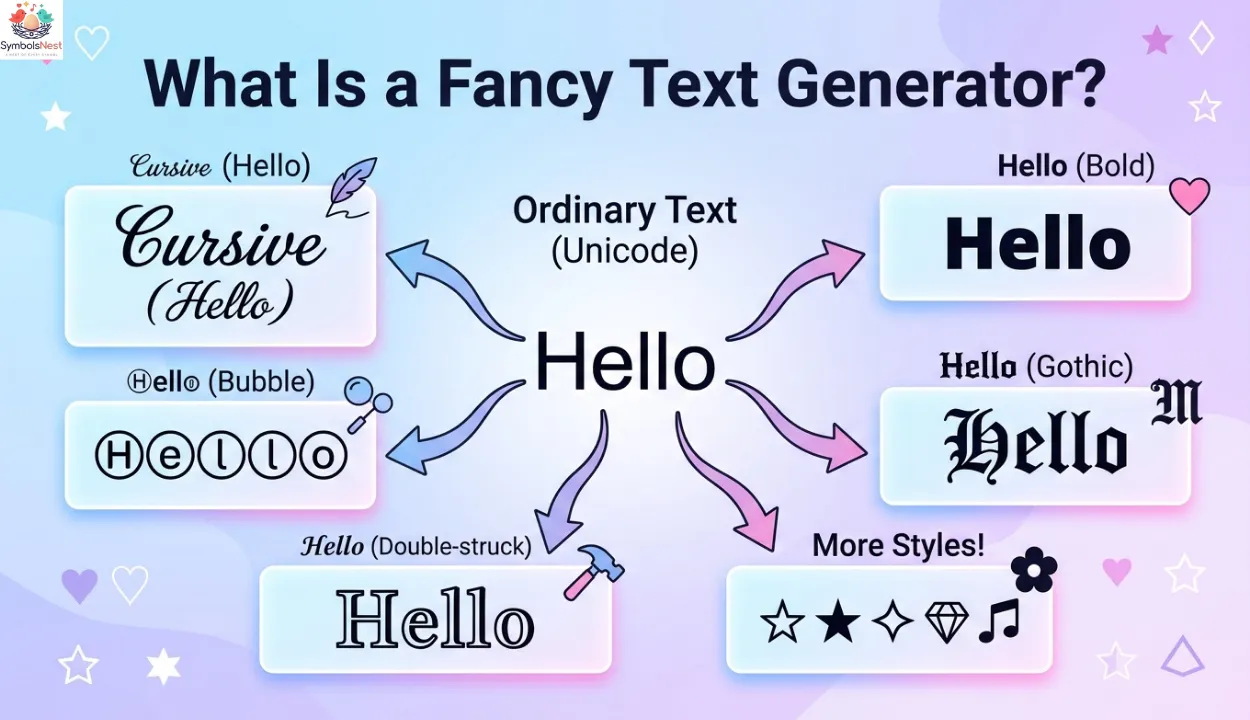
For example, a regular word such as “Hello” can be transformed into different visual styles:
- Bold: 𝐇𝐞𝐥𝐥𝐨
- Italic: 𝐻𝑒𝑙𝑙𝑜
- Script: ℋℯ𝓁𝓁ℴ
- Double Struck: ℍ𝕖𝕝𝕝𝕠
- Bubble: Ⓗⓔⓛⓛⓞ
- Gothic: ℌ𝔢𝔩𝔩𝔬
- Small Caps: ʜᴇʟʟᴏ
- Monospace: 𝙷𝚎𝚕𝚕𝚘
These examples demonstrate how the same word can look completely different depending on the characters used.
How Does a Fancy Text Generator Work?
Most fancy text tools use Unicode character mapping. Unicode is an international standard that assigns unique codes to characters from different languages, writing systems, and symbol collections.
A generator uses these characters to create text that resembles different font styles.
For example, instead of displaying an ordinary letter A, a generator may use a mathematical bold character that looks like 𝐀.
Because these are Unicode characters rather than ordinary font formatting, you can often copy and paste them into applications that accept text.
However, compatibility depends on the destination platform, operating system, and available fonts.
How to Use Our Fancy Text Generator
Using our Stylish Text Generator is simple, even if you have never used a text conversion tool before.
Follow these easy steps to create your favorite fancy text:
- Enter your text: Type your name, nickname, favorite quote, bio, or message into the input box.
- Explore different styles: Browse the available bold, italic, cursive, gothic, bubble, and aesthetic text variations.
- Choose a category: Use the category filters to find a particular style more quickly.
- Customize your text: Select a heart, star, flower, or another available separator to decorate your letters.
- Add decorations: Use the prefix and suffix fields to place symbols before or after your text.
- Preview your result: Check how your selected style looks before copying it.
- Copy your favorite: Click the Copy button next to the result you like.
- Paste anywhere: Open your preferred application and paste the copied text into a compatible field.
You can also use the Copy All Styles option to copy the currently displayed variations together.
The tool works in modern desktop and mobile browsers, making it convenient to create stylish text whenever you need it.
Explore 200+ Fancy Text Styles
Different text styles can give your words different personalities. Some look professional and simple, while others are playful, decorative, or dramatic.
Our fancy font collection includes multiple transformations and decorative combinations to help you find a suitable design.
Here are some popular fancy text categories you can explore.
Bold Fancy Text
Bold fancy text makes ordinary words appear thicker and more noticeable. It is a useful choice when you want a short phrase, name, or heading to stand out.
For example:
- 𝐁𝐨𝐥𝐝 𝐓𝐞𝐱𝐭
- 𝗦𝗮𝗻𝘀 𝗕𝗼𝗹𝗱
- 𝑩𝒐𝒍𝒅 𝑰𝒕𝒂𝒍𝒊𝒄
- 𝗕𝗼𝗹𝗱 𝗦𝘁𝘆𝗹𝗲
Bold text works well for social media bios, short captions, gaming profiles, and decorative headings.
You can also combine bold characters with symbols to create a more personalized appearance.
Cursive and Script Text
Cursive and script text create a handwritten appearance with flowing, decorative letters. These styles are popular among people who want elegant usernames, attractive bios, or stylish profile descriptions.
Examples include:
- 𝓒𝓾𝓻𝓼𝓲𝓿𝓮 𝓣𝓮𝔁𝓽
- 𝒮𝓉𝓎𝓁𝒾𝓈𝒽
- 𝓛𝓸𝓿𝓮
- 𝓗𝓮𝓵𝓵𝓸
Cursive text is especially suitable for short names, greetings, and decorative messages.
Some script characters have different appearances across devices, so check your final result before using it in a public profile.
Gothic and Fraktur Text
Gothic and Fraktur styles feature dramatic, traditional blackletter-inspired characters. Their detailed appearance makes them popular for gaming identities, creative usernames, and themed social media profiles.
Examples:
- 𝔊𝔬𝔱𝔥𝔦𝔠 𝔗𝔢𝔵𝔱
- 𝕱𝖆𝖓𝖈𝖞 𝕷𝖊𝖙𝖙𝖊𝖗𝖘
- 𝔇𝔞𝔯𝔨 𝔖𝔱𝔶𝔩𝔢
- 𝕲𝖆𝖒𝖎𝖓𝖌
Gothic text can give a username a distinctive appearance. However, its decorative shapes may be harder to read in long sentences, so it is better suited to short phrases.
Bubble and Circled Text
Bubble text places letters inside circular or enclosed shapes. It creates a playful appearance that works well for short names, captions, and decorative messages.
Examples:
- Ⓑⓤⓑⓑⓛⓔ
- Ⓢⓣⓨⓛⓘⓢⓗ
- Ⓗⓔⓛⓛⓞ
- ①②③④⑤
Bubble text is a fun option for people who enjoy cute and creative typography.
You can also use circled numbers to decorate short lists or create interesting numbered labels.
Small and Tiny Text
Small text uses special Unicode characters that look smaller than regular letters. These include small-cap letters, superscript characters, and subscript numbers.
Examples:
- ʟɪᴛᴛʟᴇ ᴛᴇxᴛ
- ᴄᴜᴛᴇ sᴛʏʟᴇ
- ᴍʏ ʙɪᴏ
- ᴛɪɴʏ ʟᴇᴛᴛᴇʀs
Tiny text is useful for decorative profile details and short aesthetic phrases.
Remember that these characters do not actually reduce the font size of a webpage or application. They are alternative Unicode characters with smaller-looking shapes.
Avoid using tiny text for important information because it may be difficult for some people to read.
Double Struck Text
Double-struck text uses mathematical Unicode characters that have a distinctive outlined appearance.
Examples:
- 𝔻𝕠𝕦𝕓𝕝𝕖 𝕊𝕥𝕣𝕦𝕔𝕜
- ℍ𝕖𝕝𝕝𝕠
- 𝔽𝕒𝕟𝕔𝕪
- 𝕊𝕥𝕪𝕝𝕖
This style is suitable for decorative headings, profile names, and short creative phrases.
Double-struck letters are also known as blackboard-bold characters in mathematical typography.
Aesthetic and Cute Text
Aesthetic text combines attractive lettering with decorative symbols, spacing, and special characters. It is a popular choice for people who want their profiles to look creative and personalized.
Examples:
- ♡ 𝓒𝓾𝓽𝓮 𝓢𝓽𝔂𝓵𝓮 ♡
- ✧ 𝓓𝓻𝓮𝓪𝓶𝓮𝓻 ✧
- ★ 𝒮𝓌𝑒𝑒𝓉 𝒱𝒾𝒷𝑒𝓈 ★
- ୨୧ ᴄᴜᴛᴇ ʙɪᴏ ୨୧
You can create aesthetic text for Instagram bios, TikTok profiles, Pinterest descriptions, and other social media platforms.
Try combining a simple script style with hearts, flowers, or sparkles to create a balanced design.
Glitch and Zalgo Text
Glitch and Zalgo text use special combining marks around letters to create a distorted or unusual appearance.
Examples:
- H̴e̴l̴l̴o̴
- G̷l̷i̷t̷c̷h̷
- S̸t̸y̸l̸e̸
These effects are often used for creative usernames, fictional themes, and unusual digital designs.
However, excessive combining marks can make words difficult to read, interfere with text selection, and create accessibility problems.
Use glitch text sparingly, especially when communicating important information.
Upside Down and Reverse Text
Upside-down text creates a playful effect by using characters that resemble rotated letters and reversing their order.
Examples:
- Hello → ollǝH (approximate visual transformation)
- Text → txǝ⊥ (approximate)
- Cool → looɔ (approximate)
Reverse text simply changes the order of the characters.
These styles can be entertaining for social media captions, puzzles, and creative messages.
Not every letter has an exact upside-down Unicode equivalent, so the result is an approximation rather than a perfect rotation.
Decorative Text Styles
Decorative text adds symbols, lines, or other visual elements around ordinary words.
Examples:
- ✧・゚: Hello :・゚✧
- ♡ Stylish Text ♡
- 『 Fancy Letters 』
- ★ Cool Style ★
- H̲e̲l̲l̲o̲
These styles are ideal for short headings, profile names, captions, and creative messages.
You can experiment with different combinations until you find a design that matches your preferred appearance.
Fancy Text Joiner Generator
A Fancy Text Joiner Generator helps you place decorative separators between individual letters. Instead of displaying a word as one continuous sequence, it adds a selected symbol between its characters.
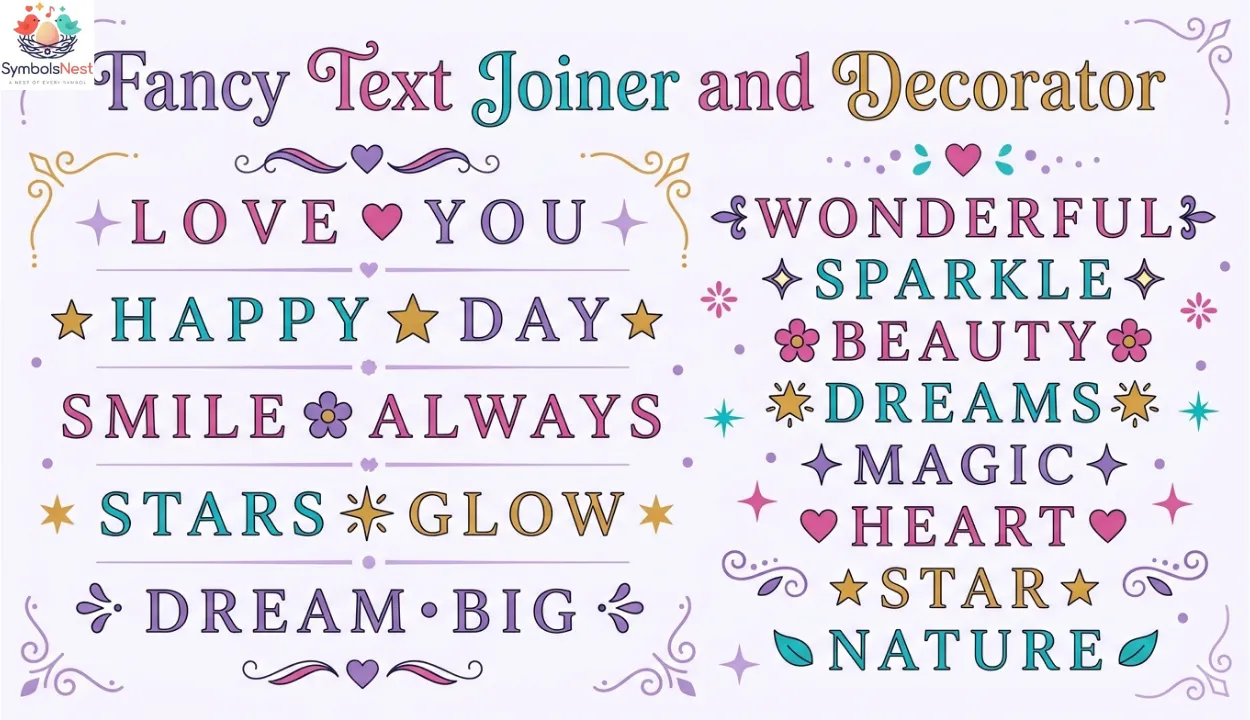
For example:
- Regular text: MAYA
- Heart joined: M ♥ A ♥ Y ♥ A
- Star joined: M ★ A ★ Y ★ A
- Flower joined: M ✿ A ✿ Y ✿ A
This technique can make short names, captions, and profile descriptions look more creative.
Heart Joiner
Heart joiners add a heart symbol between letters.
Example:
- M ♥ Y ♥ L ♥ O ♥ V ♥ E
They are suitable for affectionate messages, cute usernames, and decorative profile names.
Star Joiner
Star joiners create a bright and playful appearance by placing stars between characters.
Example:
- S ★ T ★ A ★ R
You can use this style for short display names and creative headings.
Flower Joiner
Flower joiners use floral symbols to create a soft and decorative appearance.
Example:
- C ✿ U ✿ T ✿ E
This style works well for nature-inspired names and aesthetic text combinations.
Other Decorative Separators
You can also experiment with minimal separators such as:
- Middle dot: A · B · C
- Vertical line: A | B | C
- Tilde: A ~ B ~ C
- Sparkle: A ✧ B ✧ C
Choose a separator that complements your text instead of making it difficult to read.
Fancy Text Decorator
A Fancy Text Decorator adds creative symbols and decorative elements around your words.
It is useful when you want to personalize a name, heading, short quote, or social media bio without changing the entire message.
Our generator includes prefix and suffix fields that allow you to add your own decorations.
What Is a Text Prefix?
A prefix is a symbol or character placed before your text.
Examples:
- ✨ Hello
- ★ Welcome
- ♡ My Bio
- ❀ Beautiful Day
A suitable prefix can make your text more attractive while keeping the main message recognizable.
What Is a Text Suffix?
A suffix is a decorative element placed after your words.
Examples:
- Hello ♡
- My World ★
- Stay Happy ✨
- Beautiful Life ❀
You can use the same symbol on both sides of a phrase to create a balanced design.
Creative Symbol Combinations
Combining different decorative elements can produce unique text designs.
Examples:
- ✧・゚: My Dream :・゚✧
- ♡ 𝓛𝓸𝓿𝓮 ♡
- ★彡 Cool Name 彡★
- 『 Stylish Text 』
- ୨୧ Sweet Life ୨୧
Avoid adding too many symbols to a single phrase. A clean and readable design is often more attractive than an overcrowded one.
Fancy Text vs Regular Fonts – What’s the Difference?
Fancy text and regular fonts may look similar, but they work differently.
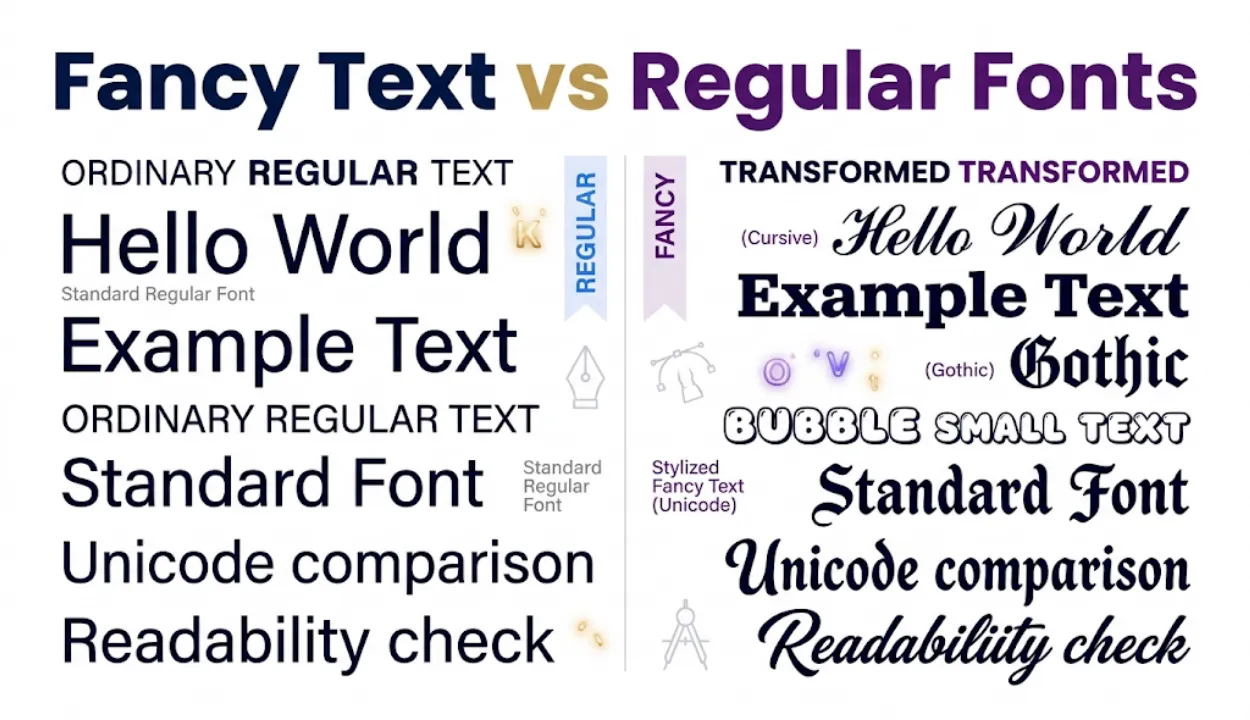
Regular fonts change the visual appearance of text through font files and formatting settings. Fancy text usually replaces ordinary characters with alternative Unicode characters.
For example, when you select bold formatting in a word processor, the underlying letter generally remains the same. When you use a Unicode bold text generator, the ordinary letter is replaced by a different Unicode character.
Here is a comparison:
| Feature | Regular Fonts | Fancy Unicode Text |
|---|---|---|
| Main purpose | Change text appearance | Replace characters with decorative alternatives |
| How it works | Uses font styling | Uses Unicode characters |
| Font installation | May require a font | Usually does not require installation |
| Copy and paste | Formatting may be lost | Characters often remain |
| Social media use | Depends on platform formatting | Works in compatible text fields |
| Customization | Depends on available fonts | Depends on available Unicode characters |
| Compatibility | Depends on font support | Depends on character and glyph support |
Which One Should You Use?
Regular fonts are generally better for websites, documents, professional designs, and situations where you control the formatting.
Fancy Unicode text is useful when you want a decorative effect in a plain text field that does not offer font customization.
For important information, standard text is usually the better choice because it is easier to search, read, and interpret with assistive technology.
Why Are Some Fancy Text Characters Not Displaying?
Sometimes you may copy fancy text into an application and notice that certain characters appear as empty boxes, question marks, or unusual symbols.
This happens because not every device, browser, or application supports every Unicode character.

Here are some common reasons.
1. Missing Font Support
A device needs a font containing the appropriate character design to display a Unicode symbol correctly.
If the required glyph is unavailable, the device may show an empty box instead.
2. Platform Restrictions
Some applications restrict unusual characters in usernames, profile names, comments, or other fields.
Even if a character displays correctly in your browser, the destination application may not accept it.
3. Different Operating Systems
Windows, macOS, Android, and iOS may display the same Unicode character differently.
The general meaning may remain the same, but the visual appearance can change.
4. Unsupported Unicode Characters
Some fancy text styles use mathematical symbols and specialized Unicode characters.
Older devices or applications may not support every character in these collections.
5. Accessibility Problems
Screen readers may interpret decorative Unicode characters differently from ordinary letters.
For example, a stylized word may be announced as a sequence of character names rather than as the intended word.
For better accessibility, keep important information, names, instructions, and essential messages in standard text.
How to Fix Display Problems
If your fancy text does not appear correctly:
- Try another text style.
- Use simple bold or italic Unicode characters.
- Remove unusual combining marks.
- Check whether your application supports the selected characters.
- Test the text on another device.
- Use ordinary letters for important information.
Choosing a simpler style is often the easiest solution.
Tips for Creating Attractive Fancy Text
Creating stylish text is easy, but selecting the right design requires a little attention.
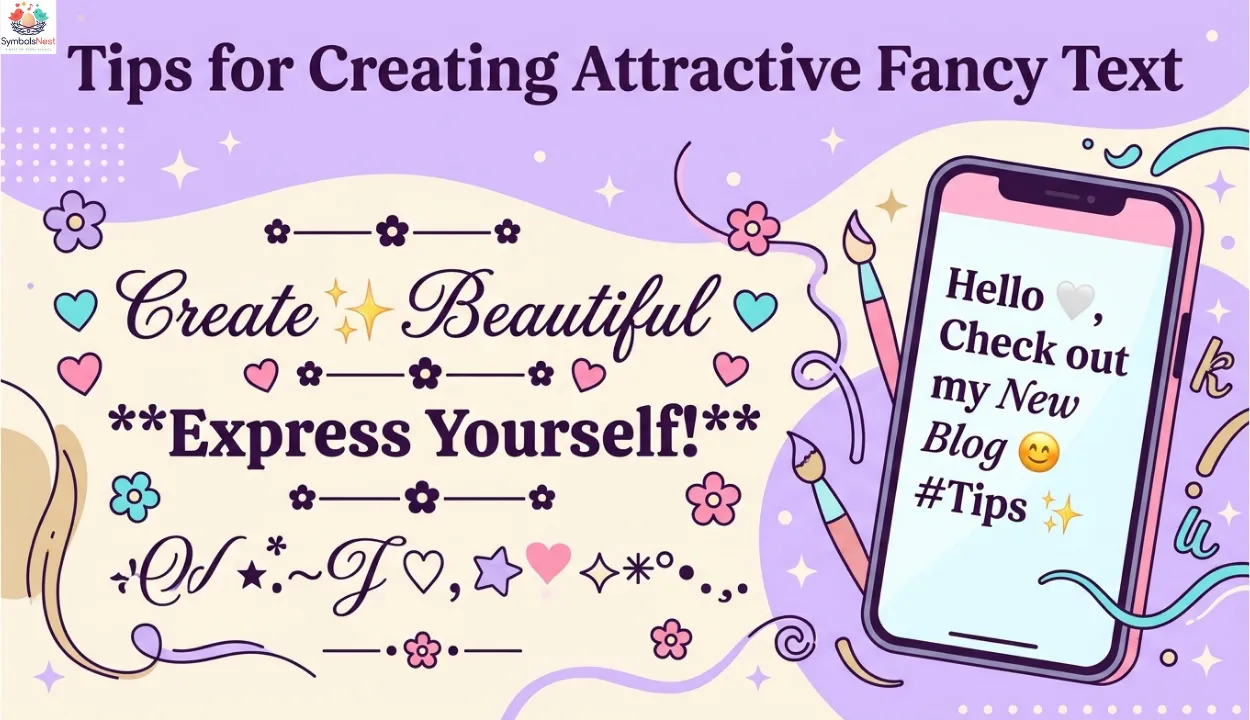
Use these practical tips to make your fancy text more attractive and readable.
1. Keep Your Text Short
Fancy characters look best in short phrases, names, and headings.
Long paragraphs filled with unusual characters can become difficult to read.
2. Select a Style That Matches Your Purpose
Different styles communicate different moods.
For example:
- Bold text is useful for emphasis.
- Cursive text creates an elegant appearance.
- Gothic text offers a dramatic look.
- Bubble text creates a playful effect.
- Small caps provide a compact appearance.
- Aesthetic text adds decorative personality.
Choose a style based on where you plan to use it.
3. Avoid Too Many Symbols
Adding hearts, stars, flowers, and other decorations can make your text attractive.
However, too many symbols can make your words difficult to understand.
Try one or two decorative elements instead of filling every space.
4. Prioritize Readability
Your main goal should be to communicate your message clearly.
If someone cannot recognize your username or understand your bio, the decorative style may not be helping.
5. Check Your Social Media Character Limits
Different applications have different restrictions for usernames, bios, and profile descriptions.
Make sure your text fits the relevant field before saving it.
6. Test Your Text on Mobile
Many people view social media profiles on smartphones.
Check your text on a mobile screen to make sure the characters are visible and properly spaced.
7. Consider Accessibility
Not every fancy character is easy for screen readers to interpret.
Keep essential information in standard text and use decorative Unicode only for optional visual details.
8. Experiment With Different Combinations
You do not need to use only one style.
Try combining cursive letters with hearts, bold text with stars, or small caps with simple separators.
Preview the result and choose the version that looks best without sacrificing readability.
Frequently Asked Questions
1. What is a Fancy Text Generator?
A Fancy Text Generator is an online tool that converts ordinary letters into decorative Unicode characters. It can create bold, cursive, gothic, bubble, aesthetic, and other stylish text variations that you can copy and paste into compatible applications.
2. Is this Fancy Text Generator free?
Yes! Our Fancy Text Generator is free to use. You can enter your text, explore different styles, customize your results with available decorations, and copy your favorite designs without creating an account.
3. How do I copy and paste fancy text?
Type your words into the generator, select your favorite text style, and click the Copy button. Then open your preferred application, select the text field, and paste your copied result. Check the final appearance before publishing.
4. Can I use fancy text on Instagram?
Yes. You can paste supported Unicode characters into compatible Instagram profile and content fields. Many users use fancy text for bios, display names, and captions. However, some characters may not display correctly on every device.
5. Does fancy text work on TikTok?
Many Unicode characters can be pasted into TikTok text fields. You can use stylish text for profile descriptions and display-name ideas. However, character support may differ between fields, devices, and application versions.
6. Are fancy fonts real fonts?
Most copy-and-paste fancy text styles are not actual font files. They use Unicode characters that resemble different typefaces. Unlike regular fonts, which change the appearance of ordinary letters, Unicode fancy text replaces those letters with alternative characters.
7. Why do some fancy letters appear as boxes?
Fancy letters may appear as boxes when your device or application does not have the necessary glyph to display a particular Unicode character. Try a simpler style or use characters with broader device support.
8. Can I create fancy gaming usernames?
Yes. You can use a fancy letters generator to create decorative gaming username ideas. Experiment with bold, gothic, cursive, and symbol combinations. Before using a name, check the game’s character limits and username restrictions.
9. What is Unicode fancy text?
Unicode fancy text uses special characters from the Unicode standard to create decorative text styles. These characters can often be copied and pasted into compatible applications because they are text characters rather than images.
10. Can I create bold and cursive text?
Yes. Our generator includes bold, italic, cursive script, and bold script transformations. Enter your words, select the style you like, and copy the result. Some characters may display differently depending on your device.
11. How do I make aesthetic text?
Enter a short phrase into the generator and experiment with cursive, small caps, fullwidth letters, spaced text, and decorative symbols. You can also add hearts, stars, or flowers using the available decoration options.
12. Does this tool work on mobile devices?
Yes. The Fancy Text Generator has a responsive layout designed for mobile phones, tablets, and desktop browsers. You can enter text using your mobile keyboard, select a style, copy the result, and paste it into a compatible application.
Conclusion
A Fancy Text Generator is a simple and convenient way to transform ordinary words into creative, stylish, and decorative Unicode text. Whether you need a beautiful Instagram bio, a unique gaming username, a stylish WhatsApp message, or an attractive social media caption, the right text style can help personalize your words.
With options such as bold, cursive, gothic, bubble, double-struck, small caps, aesthetic decorations, and creative separators, you have plenty of combinations to explore.
The best part is that you do not need to download software or install additional fonts. Simply enter your words, choose your favorite style, and copy and paste the result wherever supported.
Ready to make your words more stylish? Try our free Fancy Text Generator above and discover a creative text style that matches your personality!

hi iam Emma SymbolsNest.com is a simple website where you can find thousands of symbols and special characters. It helps you copy and paste Unicode symbols for social media, messages, documents, and creative projects.
