

Ever tried to save an empty name or send a blank message, only to see the app refuse? 😅 Plain spaces get trimmed, so you need a real character that only looks empty.
Invisible Text Generator
Generate invisible characters and blank spaces instantly. Copy and paste invisible text for Instagram, WhatsApp, Discord, Facebook, gaming usernames, and other platforms.
Free • No Registration • Instant Copy & PasteMethod 1 – Copy with a Button
Choose how many invisible characters you want to copy. Click any button to instantly copy the selected invisible text.
Uses Hangul Filler (U+3164), the most widely accepted option.
Method 2 – Unlimited Invisible Characters
Generate as many invisible characters as you need. Enter your desired quantity and copy the generated blank text.
Characters: 0
Method 3 – Custom Invisible Text Generator
Pick a character type and a quantity. Invisible characters are not identical: some platforms remove, reject, or normalize certain Unicode characters, so there is no universal guarantee. If one type fails, try another.
Characters: 0
Method 4 – Copy and Paste Blank Space
Ready-made blank text in four sizes. Each option has its own Copy button.
Method 5 – Invisible Text Tester
Paste your text below to check what it really contains.
Characters: 0 | Unicode code points: 0
An invisible character generator copy paste tool solves this in one tap. You copy ㅤ or another blank character and paste it into names, bios and chats. ✨
This guide gives you working characters, Unicode codes, two comparison tables and clear steps for Free Fire, Instagram, WhatsApp and Discord. You will also learn why blank text fails and how to fix it. 🚀
⚡ Quick Answer: An invisible character generator copy paste tool gives you a Unicode character that looks like empty space but counts as real text. The most reliable one for names and bios is ㅤ (U+3164, Hangul Filler). For splitting text with no visible gap, use the Zero Width Space (U+200B).
🛠️ Invisible Character Generator Copy Paste Tool
Use the tool below to grab the exact blank you need. Each button copies one invisible character to your clipboard. 📋
(Place your HTML tool embed here)
- 📋 [ㅤ] Hangul Filler (U+3164): the best all round blank for names and bios
- 🔸 [⠀] Braille Pattern Blank (U+2800): neat for blank messages and short gaps
- 🫥 Zero Width Space (U+200B): no visible width, good for splitting text
- 🔹 Zero Width Non Joiner and Joiner (U+200C, U+200D): special purpose zero width characters
- 🧷 Word Joiner and Zero Width No Break Space (U+2060, U+FEFF): mostly used by developers
- 🔗 Non Breaking Space (U+00A0): acts like a space that will not wrap to a new line
- ✍️ Custom length box: pick 5, 10 or 50 characters in one click
Paste the result into your notes app first. If the cursor moves but nothing shows, the character is working. 🧪
Want decorative symbols next to your blank text? Browse our aesthetic symbols collection and symbol combos. 🎨
🔍 What Is an Invisible Character Generator?
An invisible character generator is a simple web tool that outputs Unicode characters with no visible shape. They take up room in the text but show nothing on screen. 🫥
Unicode, the global text standard, contains many of these characters. Some are wide blanks, some have zero width and some only guide how text joins or breaks.
People search for blank text copy paste because normal spaces fail. Apps trim them, or reject a name that contains only spaces. 😤
🧩 Main Types of Invisible Characters
- 🔹 Filler characters: wide blanks such as ㅤ, popular for names and bios
- 🔸 Blank symbols: characters like the Braille blank that draw nothing
- 🫥 Zero width characters: no visible width, used inside text
- 🧭 Format characters: control how text joins, breaks and reads
🆚 Why Apps Accept One Blank and Reject Another
Apps usually trim characters that Unicode classes as whitespace. ㅤ is classed as a letter and the Braille blank as a symbol, so many apps treat them as real content. ✅
That is why a good invisible character generator copy paste page focuses on these characters. They look empty to you, but not to the input check.
For a wider look at how symbols work, read our symbols meaning guide. 📚
📊 Blank Text Copy Paste: Which Character Works Where
Not every blank works in every app. This table shows what usually works in popular apps. 📱
| Character | Code | Free Fire | Instagram Bio | Discord | TikTok | |
| ㅤ Hangul Filler | U+3164 | ✅ Usually works | ✅ Usually works | ✅ Works | ✅ Often works | ✅ Often works |
| ⠀ Braille Blank | U+2800 | ⚠️ Sometimes | ✅ Usually works | ✅ Works | ⚠️ Sometimes | ⚠️ Sometimes |
| Zero Width Space | U+200B | ❌ Often rejected | ⚠️ Sometimes | ⚠️ Sometimes | ❌ Often stripped | ❌ Often stripped |
| Non Breaking Space | U+00A0 | ❌ Often rejected | ⚠️ Sometimes | ⚠️ Sometimes | ❌ Often stripped | ⚠️ Sometimes |
| Word Joiner | U+2060 | ❌ Rarely works | ❌ Rarely works | ⚠️ Sometimes | ❌ Rarely works | ❌ Rarely works |
Results reflect common behaviour and can change after app updates, so always test in a safe spot first. ⚠️ Last updated: November 2026.
- ✅ ㅤ is the safest first choice for names, bios and chats
- 🔸 The Braille blank is a strong backup for messages
- 🫥 Zero width characters often get stripped from names
- 🧪 If one fails, move to the next character in the table
🧬 Invisible Characters List With Unicode Codes
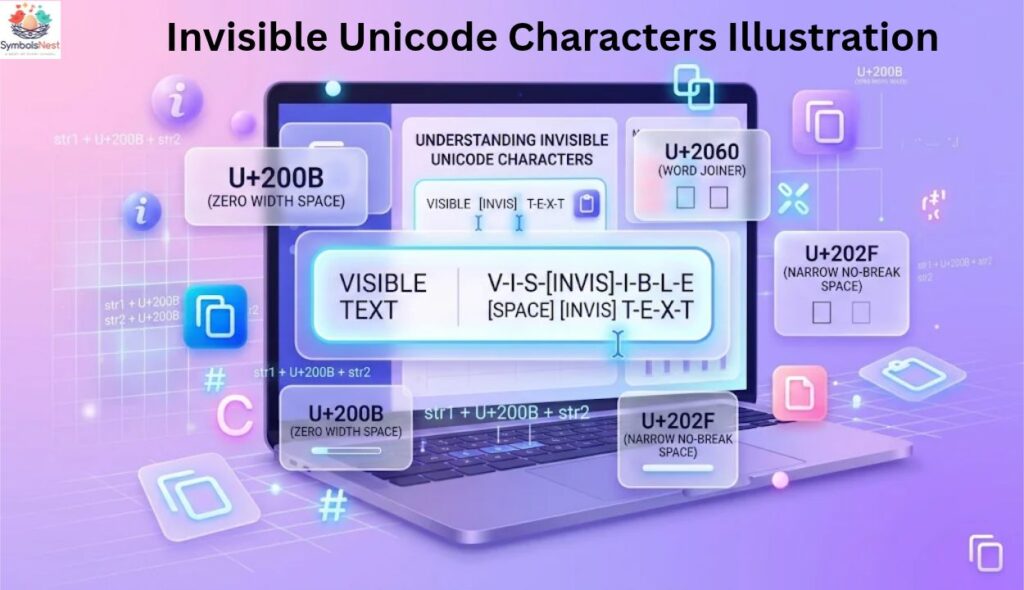
Every invisible character has a code point, which is its unique Unicode number. Knowing the code helps you pick the right blank and spot it in your text. 🔢
| Name | Code Point | Width | Best Use |
| Hangul Filler | U+3164 | Wide blank | Names, bios, blank messages |
| Braille Pattern Blank | U+2800 | Narrow blank | Blank messages, bio spacing |
| Zero Width Space | U+200B | None | Line break hints, splitting text |
| Zero Width Non Joiner | U+200C | None | Separating letters in joined scripts |
| Zero Width Joiner | U+200D | None | Joining emoji and letter forms |
| Word Joiner | U+2060 | None | Preventing line breaks |
| Zero Width No Break Space | U+FEFF | None | Byte order mark in files |
| Non Breaking Space | U+00A0 | Same as space | Keeping words together |
| Invisible Separator | U+2063 | None | Technical and accessibility use |
Copy the character itself, not the code text. Typing “U+3164” into a name box will only show those letters. ✍️
- 📏 Width: how much empty room the character shows
- 🔢 Code point: the hex number that identifies the character
- 🎯 Best use: where the character usually behaves well
📲 How to Copy and Paste Invisible Characters
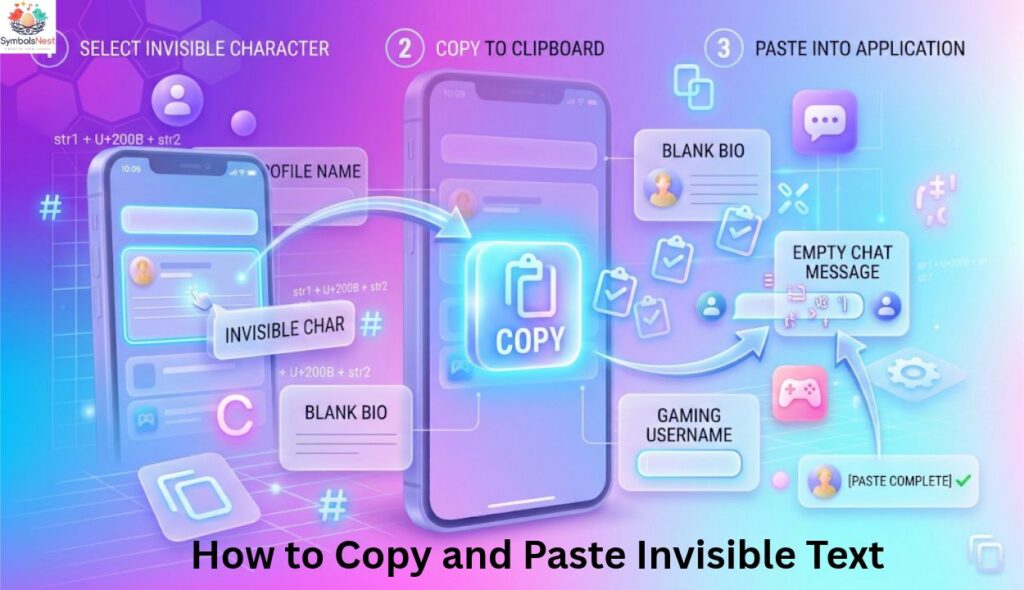
Using an invisible character generator copy paste tool takes seconds on any device. The steps are almost the same everywhere. ⏱️
📱 On Android and iPhone
- 📋 Tap the copy button next to your chosen character
- 📝 Open the app and tap the name, bio or message box
- 👆 Long press the field and choose Paste
- ✅ Save the change and check how it looks
💻 On Windows and Mac
- 🖱️ Click the copy button in the tool
- ⌨️ Press Ctrl+V on Windows or Cmd+V on Mac inside the field
- 💾 Save and refresh the page to confirm
🧪 Quick Test Before You Save
- 📝 Paste the blank into a notes app first
- ⬅️ Use the arrow keys and watch the cursor move
- 🔢 Check a character counter to confirm it counted
🎮 Copy Paste Blank Space for Free Fire (Espacio para Free Fire)
Free Fire players love blank names because they look clean in the lobby. The search term espacio para free fire shows strong demand in Spanish speaking regions. 🔥
Most players use ㅤ in the name and guild name fields. The game often rejects plain spaces and many zero width characters.
👤 How to Set a Blank Free Fire Name
- 📋 Copy ㅤ from the generator above
- ⚙️ Open Free Fire and go to the change name option
- ✏️ Paste the character into the name box and confirm
- 🔁 If you see an error, try the Braille blank or add a visible symbol beside it
Any invisible character generator copy paste page can build this in one tap. You only choose how many characters to repeat. 👍
🕶️ Invisible Name Copy Paste and Invisible Name Generator
Searches for invisible name copy paste and invisible name generator usually mean one thing: a name that looks empty. The tool copies the same ㅤ character, and you decide the length.
- 1️⃣ One character works for a clean empty look
- ➕ Two or three characters help pad a short name
- ✨ Mix blanks with symbols for a stylish finish
For ready made ideas, see our Free Fire stylish names and Mobile Legends name style guides. 🎯
What Is an Invisible Text Generator?
An invisible text generator creates real Unicode characters that take up space in a text field but show nothing on screen. They are not ordinary spaces styled with CSS. You copy them and paste them wherever you need a blank-looking value.
How to Generate Invisible Text
Pick a method above, choose a quantity, and press Generate. The preview shows the exact character count. Method 3 lets you choose the Unicode character, which helps when one type is rejected by a platform.
How to Copy and Paste Blank Text
Press any Copy button and wait for the confirmation message. Then paste into your target field with Ctrl+V on desktop or a long press and Paste on mobile. If the confirmation does not appear, copying failed, so use another browser or tap the preview and copy manually.
Which Invisible Characters Does This Tool Support?
- Hangul Filler (U+3164): the most common choice for usernames and bios.
- Braille Pattern Blank (U+2800): often accepted where other characters are stripped.
- Zero Width Space (U+200B): truly zero width, often trimmed by apps.
- Word Joiner (U+2060): zero width and non-breaking.
- Zero Width Non-Joiner (U+200C): zero width, mainly used in text shaping.
Where Can You Use Invisible Text?
- Instagram: blank-looking bio lines or spacing between lines.
- WhatsApp: sending a message that appears empty.
- Discord: blank messages or empty-looking nicknames.
- Facebook: spacing in posts and profile fields.
- Gaming usernames: names that look blank where the game accepts it.
- Online forms and profiles: filling a required field that must not be empty.
Support differs by platform and changes over time. Test before relying on any character.
Why Is My Invisible Text Not Working?
The platform may strip the character, reject it, or normalize it to a normal space. Try a different type from Method 3, paste a smaller amount, check that your keyboard or app did not trim the text, and use Method 5 to confirm the pasted text still contains the characters.
Frequently Asked Questions
What is invisible text?
Text made of Unicode characters that have no visible shape, so the field looks empty although it contains characters.
How do I copy invisible characters?
Press a Copy button in any method above, then paste into your target app.
Is invisible text the same as a blank space?
No. A normal space is often trimmed or blocked. Invisible characters are different Unicode code points that many fields treat as real content.
Can I use invisible text on Instagram?
Often yes in bios and captions, but Instagram can change how it handles characters. Test first.
Does invisible text work on Discord?
It can work in messages and some nicknames. Discord may reject empty-looking input in some places.
Is this invisible text generator free?
Yes. It is free, needs no registration, and runs fully in your browser.
Why is my invisible character not working?
The platform likely filters that character. Try another type and confirm the content with the tester.
Final Thoughts
An invisible text generator is a simple way to add blank-looking text to bios, messages, usernames, and forms. Every platform handles Unicode differently, so the character that works in one app may be removed or rejected in another. Start with Hangul Filler, switch to Braille Blank or a zero-width character if it fails, and use the tester to confirm what you pasted. Keep the quantity small where a field has a character limit, and always test before you rely on it for something important.

hi iam Emma SymbolsNest.com is a simple website where you can find thousands of symbols and special characters. It helps you copy and paste Unicode symbols for social media, messages, documents, and creative projects.
